
Share your campaign and donation form
Copy a link, generate a QR code, print signage, or embed a block, and what Donately does not give you.
Campaigns and donation forms each have their own Share tab with everything you need to get the thing in front of people.
Both need to be published first. Until then the Share tab tells you to go and publish.
Sharing a campaign
Open the campaign and select Share. The page gives you four things.
The link. The Campaign Page URL card shows the address with Copy Link and View Page. For an earmark campaign this becomes Donation Form URL, because those campaigns have no hosted page of their own. See Choose a campaign type.
Embeddable blocks. Four blocks you can paste into your own site: Donate Button, Campaign Overview, Progress and Donor Wall. Pick a tab, adjust the settings, preview it on desktop and mobile, then Copy code. See Embed a progress bar and Customise the donation popup button.
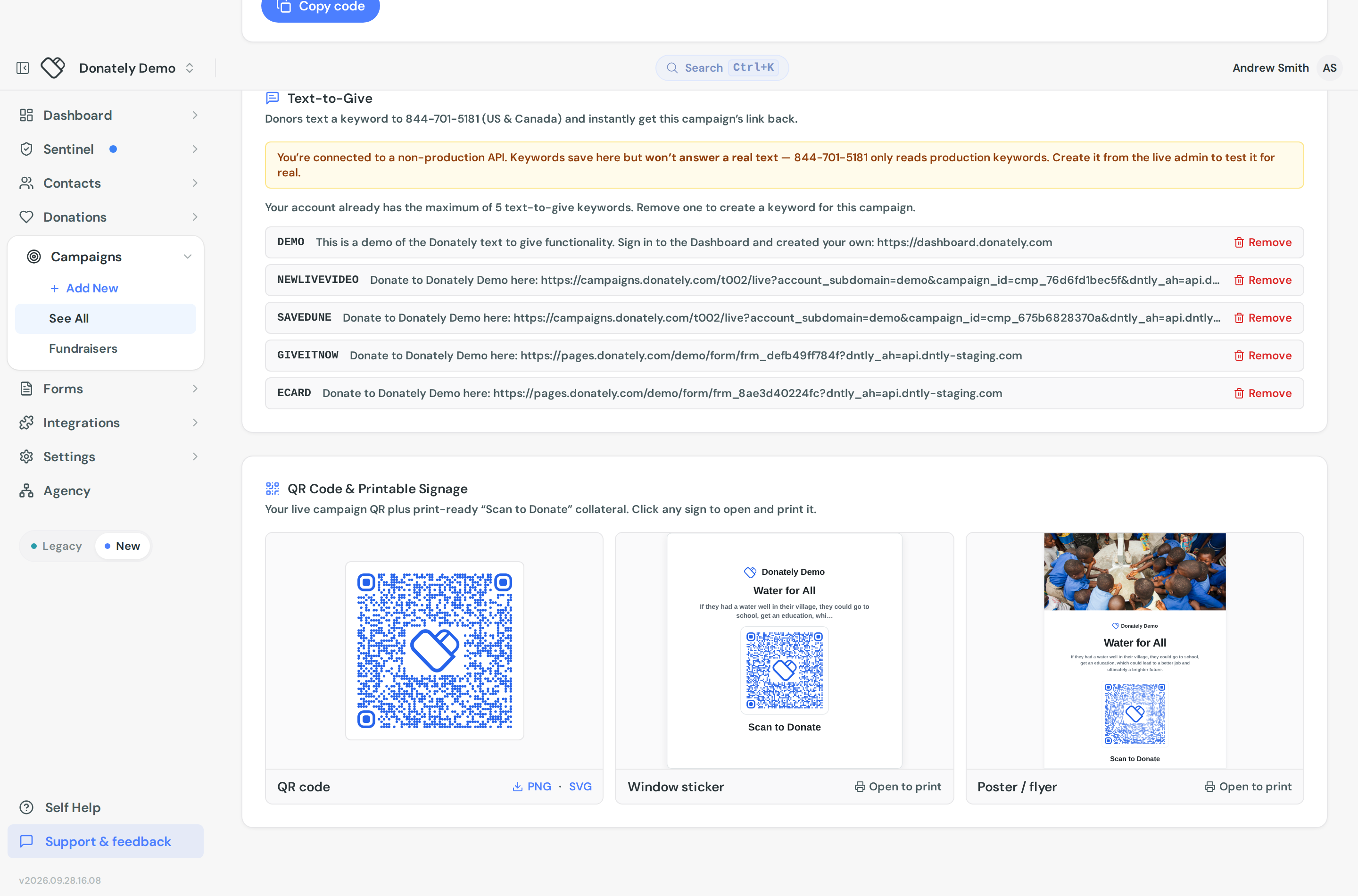
Text-to-give. A keyword donors can text to get your link back on their phone. See Set up text-to-give.
QR code and printable signage. Covered below.
Sharing a donation form
Open the form and select Share. The page is Share & Embed and offers:
- Hosted Form Link, with Copy Link and View Form, for a page Donately hosts.
- Embed on Your Website, with Simple script, Iframe and Advanced script snippets and a Copy Embed Code button. See Put your donation form on your website.
- Text-to-Give.
- QR code and printable signage.
One thing worth knowing if you make changes: published edits can take a minute or two to appear on your embed, popup and hosted link, because they all read cached form settings.
QR codes and print
Both Share tabs have a QR Code & Printable Signage card. The QR points at the live page and is drawn in your brand colour, falling back to black and white when your colour is too light to scan reliably.
Download the QR on its own as PNG or SVG. Use SVG for anything going to a printer, since it stays sharp at any size.
There are also two ready-made pieces of collateral, both headed "Scan to Donate": a Window sticker at 4 by 4 inches, and a Poster / flyer at US Letter. Click either to open it, then print it.
What Donately does not do
There are no social share buttons in the dashboard. Donately does not post to Facebook, X or LinkedIn for you, and there is no scheduler. Copy the link and share it from your own accounts or scheduling tool.
Your public campaign and fundraiser pages do have their own Share button for visitors, which is what supporters use to spread a peer-to-peer page. That is on the page itself, not in the dashboard.
Fundraisers have no Share tab. An individual supporter's fundraising page has no QR code, embed or signage in the dashboard. You can open it with View page from the fundraiser and copy the address from your browser. Supporters share their own pages from the page itself.
Practical notes
Test the link before you print anything. A QR on five hundred posters pointing at a draft campaign is an expensive mistake, so publish first, scan the code with your own phone, and check it lands where you expect.
Use text-to-give where a URL is awkward to type, such as from a stage or on signage people walk past.