
Customise the donation popup button
Generate a donate button that opens your form in a popup, and change its text, colour and size.
A donate button that opens your donation form in a popup keeps people on your page instead of sending them elsewhere, and it fits in places an inline form does not, such as a site header or the end of a blog post.
Where it lives
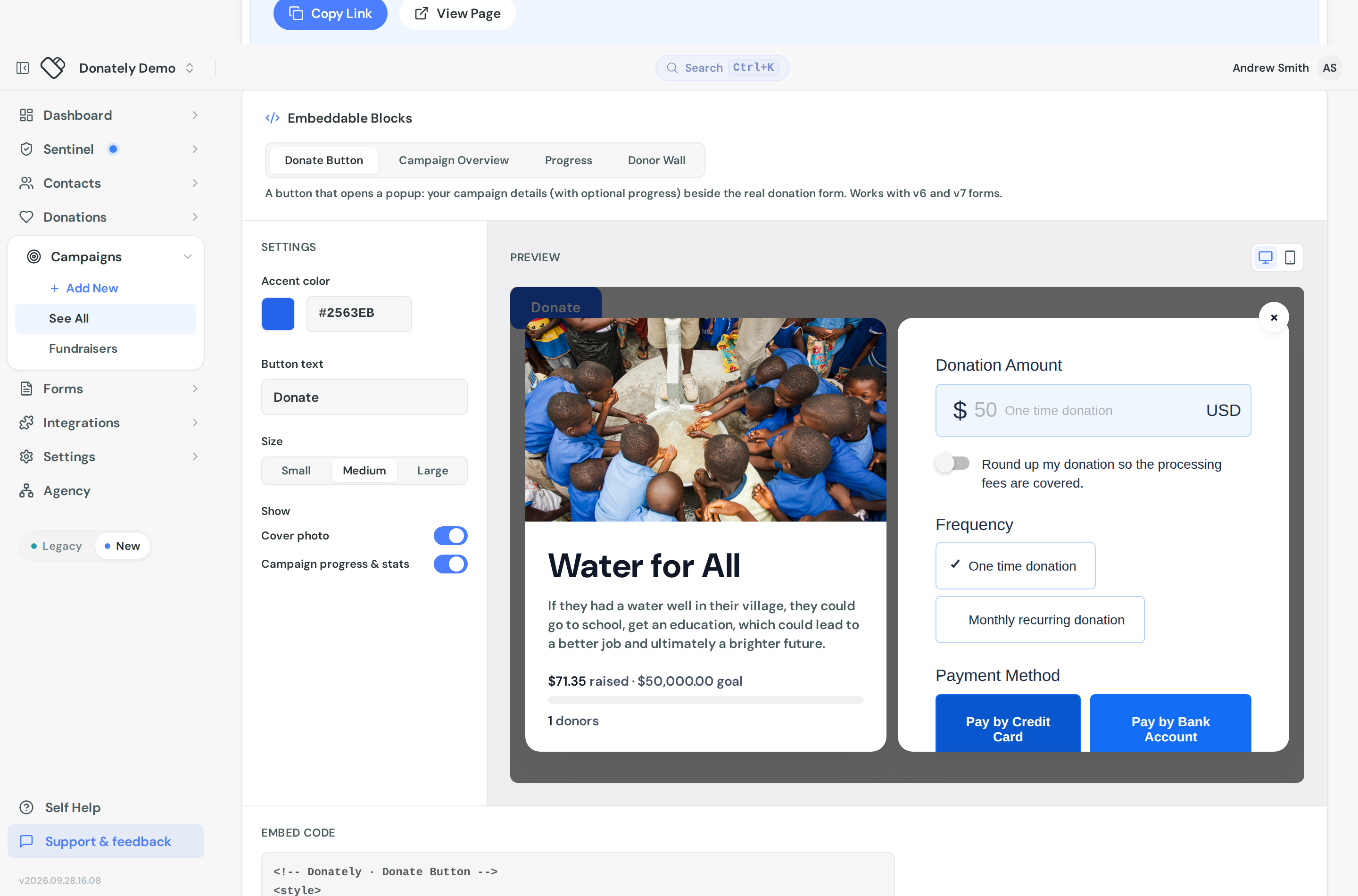
The popup button is generated from a campaign, not from a form. Open the campaign, go to its Share tab, and find the Embeddable Blocks card. Choose the Donate Button tab.
If you are looking for this in the form builder, it is not there. There is no form type or popup setting on a form. The form's own Share tab offers inline embeds only.
The popup shows your campaign details, with progress if you want it, beside the real donation form linked to that campaign.
Customise it
The settings column offers four things:
Button text. The default is Donate. Something specific usually does better: "Give now", "Support the shelter", "Sponsor a place".
Accent color. A row of presets plus a colour picker. It starts from your account's brand colour. Donately picks white or dark text automatically depending on the contrast, so the label stays readable.
Size. Small, Medium or Large.
Show. Two toggles for what appears in the popup's left panel: Cover photo and Campaign progress & stats. Turn both off for a plain form, or leave progress on to lend some urgency.
The preview on the right updates as you go and has desktop and mobile toggles. Check the mobile view, since a popup has much less room on a phone.
There is no position setting. The button renders wherever you paste the snippet, inline with your content. For a floating or sticky button, position it with your own CSS.
Put it on your site
Copy the snippet under Embed code and paste it where you want the button. It includes the button, the hidden popup, and the script that runs them. Donors can close the popup with the X, by clicking the backdrop, or with the Escape key.
Tips
Use more than one. You can put several buttons and forms on the same page. A button in the header and another after your story is a reasonable pattern.
Test it before you rely on it. Load the page, open the popup and complete a donation end to end. See Create a test donation.
Republish after changes. Edits to the form behind the button can take a minute or two to show up, because the embed reads cached settings.
The other blocks
Donate Button is one of four blocks on that tab. Campaign Overview is a fuller card that also opens the popup, Progress is the bar on its own, and Donor Wall lists recent supporters. See Embed a progress bar.