
Embed a fundraising progress bar on your site
Generate the Progress block from a campaign's Share tab, choose its colours, and paste it into your own site.
You can put a live fundraising progress card on your own website showing how much a campaign has raised against its goal. It pairs well with an embedded donation form: donors see the momentum and the way to give in the same place.
In the dashboard it is called the Progress block.
Generate the code
- Publish the campaign, and make sure it has a goal. See Campaign statuses.
- Open the campaign and go to its Share tab.
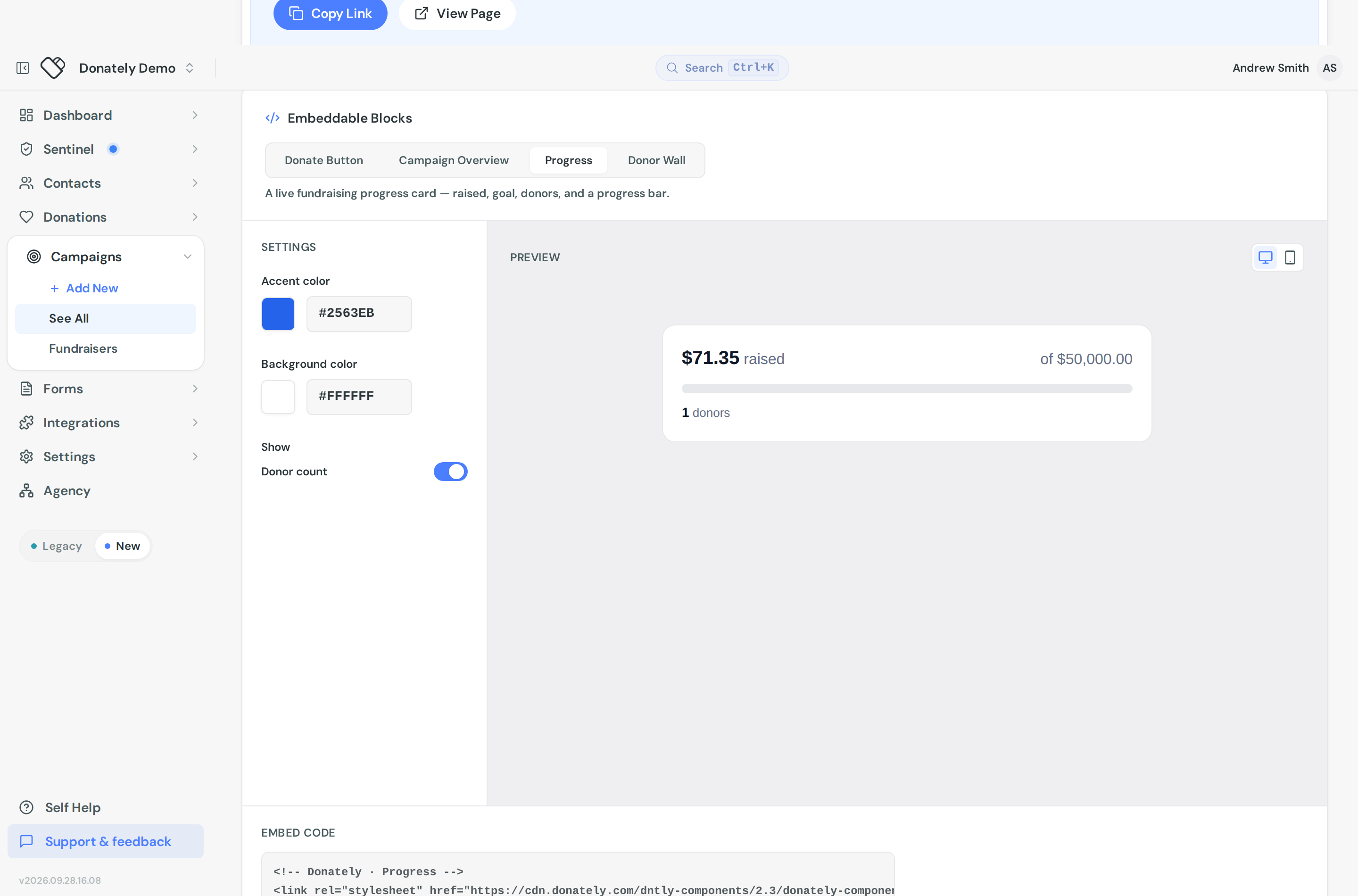
- Find the Embeddable Blocks card and choose the Progress tab.
- Adjust the settings on the left and watch the preview on the right.
- Copy the snippet under Embed code and paste it into your site where you want the card to appear.
What you can change
Accent color sets the progress fill. It starts from your account's brand colour if you have one, and there is a row of presets plus a colour picker.
Background color sets the card behind it, with light and dark presets.
Donor count shows or hides the number of donors under the bar.
The card always shows the amount raised and the goal. You cannot relabel the text or change the layout from here.
The preview has desktop and mobile toggles so you can check both before you paste.
What it shows on your site
Raised, goal, a progress bar, and optionally the donor count. The figures are live: the snippet ships empty and Donately's script fills in the current numbers when the page loads. You do not have to regenerate the code as donations come in.
Because of that, the card needs JavaScript. If your site strips scripts out of content blocks, paste it into a raw HTML or custom code block instead.
The other blocks
Progress is one of four embeddable blocks on that tab, and one of the others may suit you better:
- Campaign Overview is the fuller version: cover photo, title, live progress and a donate button.
- Donate Button is a button that opens your donation form in a popup, with the progress panel optional. See Customise the donation popup button.
- Donor Wall shows a grid of recent supporters with their comments.
Notes
The preview in the dashboard is drawn from your own logged-in data, while the live card is rendered by Donately's public script. They should agree, but if the numbers on your site look stale, hard-refresh the page before assuming something is wrong.
This is per campaign. There is no account-wide progress bar totalling every campaign, and forms have no progress embed of their own.