
Connect Donately to other apps with Zapier
Use Zapier to trigger actions in other apps when a donation comes in, where to find the credentials it asks for, and when to use a native integration instead.
Zapier connects Donately to thousands of other apps without any code. You set up a "Zap", which is a rule of the form "when this happens in Donately, do that somewhere else". Donately triggers on things like a new donation or a new donor, and the other half can be almost anything: send an email, add a row to a spreadsheet, post to a channel, create a record in a CRM.
Check for a native integration first
Zapier is the fallback, not the first stop. If Donately has a native integration for the app you want, use that instead: it is free, it syncs more fields, and it does not depend on a third-party account.
Donately connects natively to Salesforce, HubSpot, Virtuous, Mailchimp, Constant Contact, Slack, Google Analytics, Google Tag Manager, Facebook Pixel and Double the Donation. Constant Contact in particular used to be a Zapier recipe and is now native, so do not build a Zap for it. See the Integrations page for the full list.
Reach for Zapier when the app you need is not on that list.
Browse and build
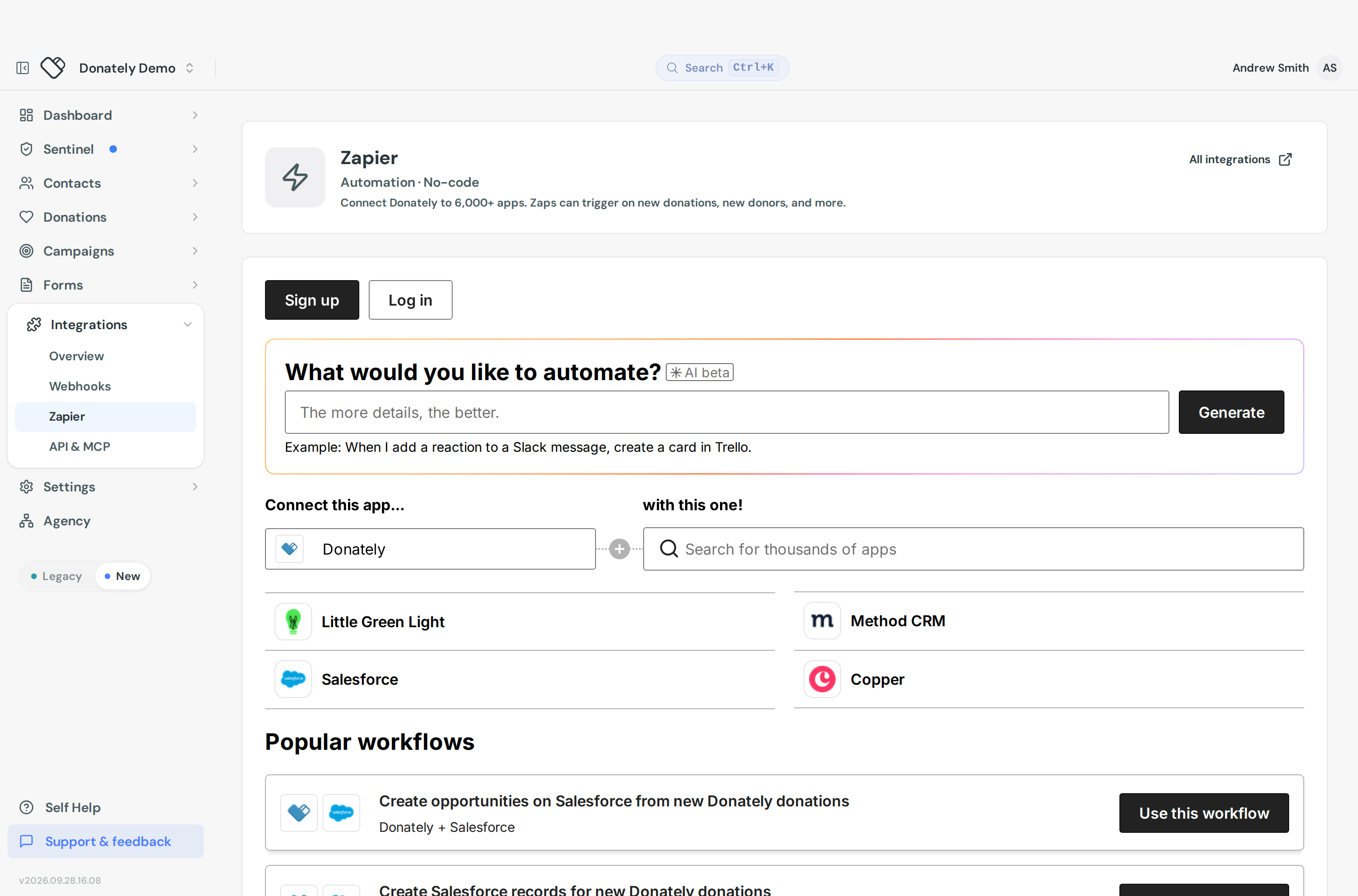
- Go to Integrations, then Zapier.
- The page embeds Zapier's own browser. Search for the app you want, or pick from the suggested apps and ready-made Zap templates.
- Follow Zapier's flow from there. Creating the Zap, connecting both accounts and testing all happens inside Zapier.
All integrations opens Donately's full integrations directory in a new tab if you would rather browse there.
Connecting your Donately account to Zapier
The first time you build a Donately Zap, Zapier asks you to connect your account. You will only do this once. Have these to hand:
Your API token. Go to User Settings and open the API Access tab. The Personal access token card shows your token, hidden until you reveal it, with a copy button. Treat it like a password: anyone holding it can act as you.
Your Account ID. Go to Integrations, then API & MCP. The Account ID card shows it with a copy button. Take care not to paste a trailing space.
Your account subdomain, if asked for it, is in your account settings.
If you need to invalidate a token that has leaked, the API Access tab has Rotate token. Be aware that it immediately breaks anything using the old one, including any Zaps, so update them straight afterwards.
Common things people build
A notification for every donation. Donately deliberately does not email admins on every single gift, because on a busy account that becomes noise. A Zap with the new-donation trigger and an email action gives you exactly the alert you want, to exactly the people you choose. If a once-a-day summary is enough, turn on a digest instead: see Admin notifications.
A custom receipt or thank-you. Before building this, check whether the built-in templates already do what you need. Donately's receipts are editable, including the tax-deductibility wording and merge tags, under Settings then Donation Receipts. See Donation receipts. Use Zapier only when you want something the templates cannot express, such as sending through your own mail provider or varying the message by campaign.
Adding donors to a mailing list. For Mailchimp and Constant Contact, use the native integration. For other tools such as SendGrid, ActiveCampaign or Kajabi, a Zap on the new-donation or new-donor trigger that adds a contact to your list is the usual pattern.
If you go the email-sending route, note that Zapier's own built-in email action is rate limited and is not meant for volume. For anything more than a trickle, send through a real mail provider in the Zap instead.
Cost
Zapier has a free tier that is enough to try this out, and paid plans if you need more Zaps or more runs. Some apps are classed as premium and need a paid plan. Zapier offers a nonprofit discount, so check their nonprofit page before paying full price.
Pricing and tier limits are Zapier's and change from time to time, so treat their pricing page as the source of truth.
When Zapier is not enough
If the app you need is not on Zapier either, post the events to your own endpoint instead. See Webhooks, or build directly against the API.