
Record cash, check, in-kind and other gifts
Log gifts that arrived outside your donation form, including grants from a donor-advised fund, choose whether the donor gets a receipt, and mark gifts that are not tax-deductible so year-end statements stay right.
Gifts that arrive outside your donation form still belong in Donately: a check in the mail, cash from an event, donated goods, a stock transfer, or a grant from a donor-advised fund. Recording them keeps your totals, each donor's giving history and the year-end tax statements complete.
Open the New donation sheet
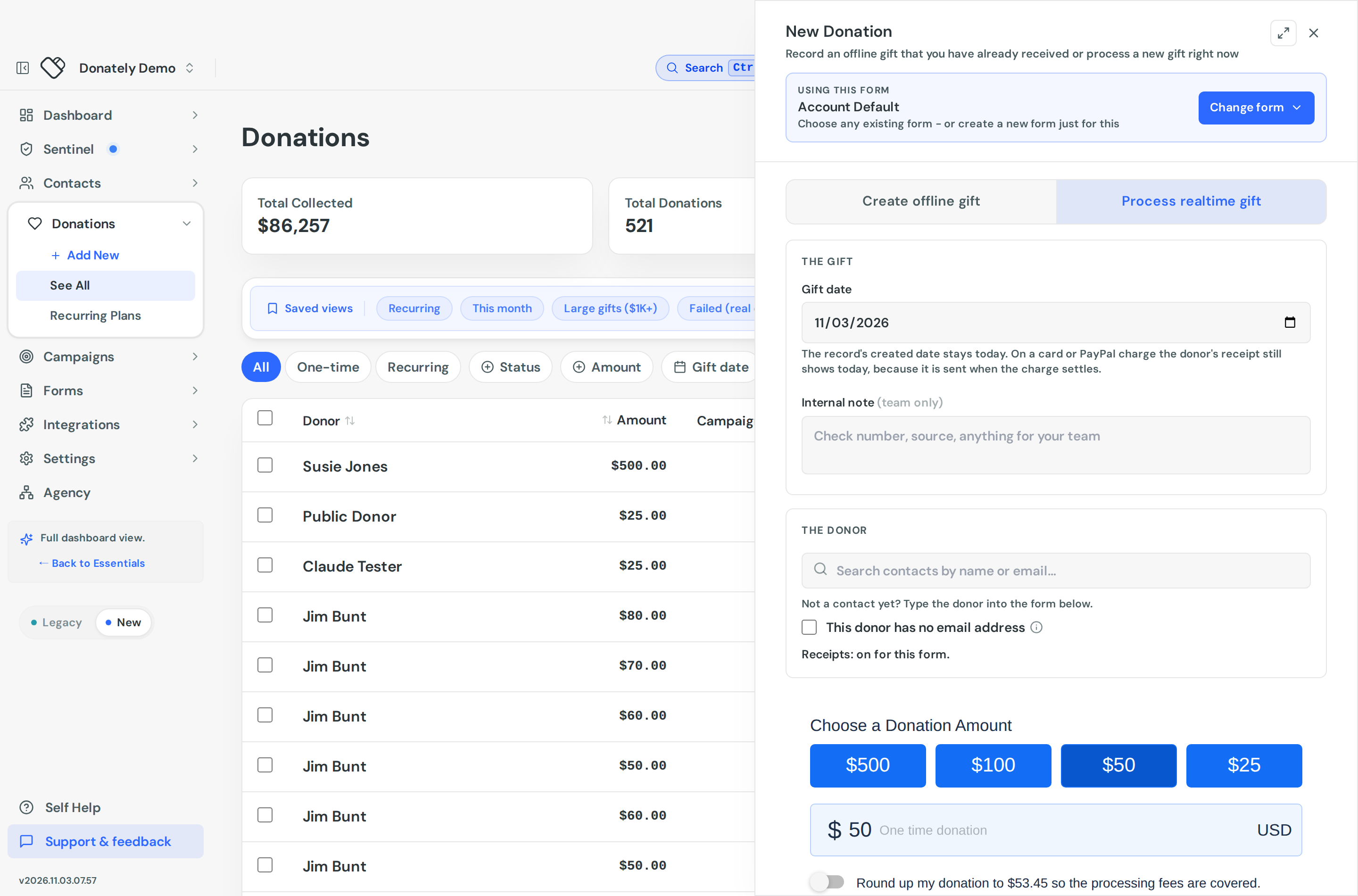
Go to Donations and select New Donation. The sheet opens on Create offline gift, the quick entry for a gift you already have. The arrow beside the button offers the same two choices:
- Quick entry, for cash, check, in-kind or other gifts you already received.
- Use a form, to charge a card or PayPal now, or to collect a form's own questions.
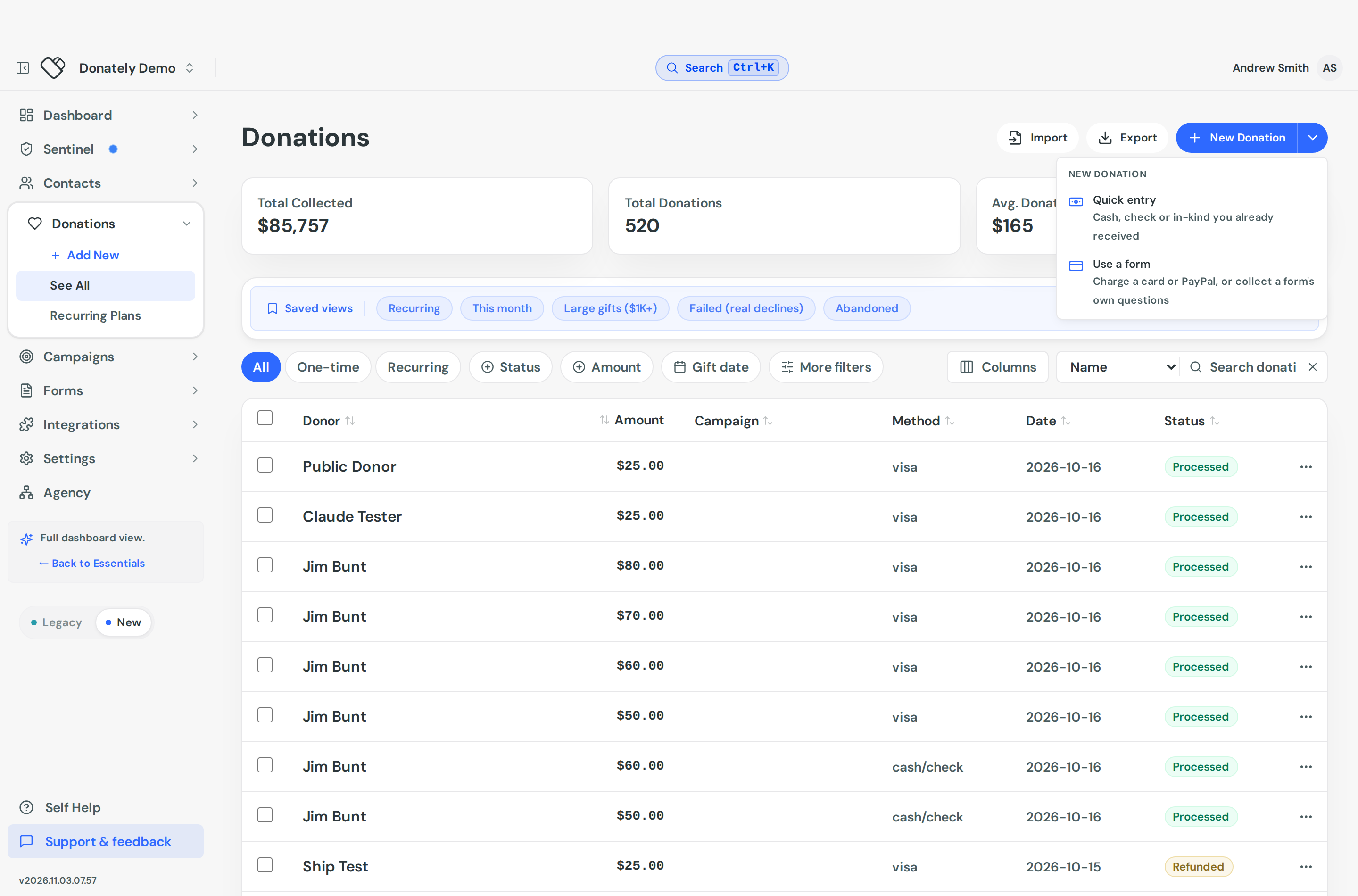
You can also start from a contact, a campaign or a fundraiser page. The sheet then fills in the donor, or keeps the gift on that campaign or fundraiser.
Record the gift
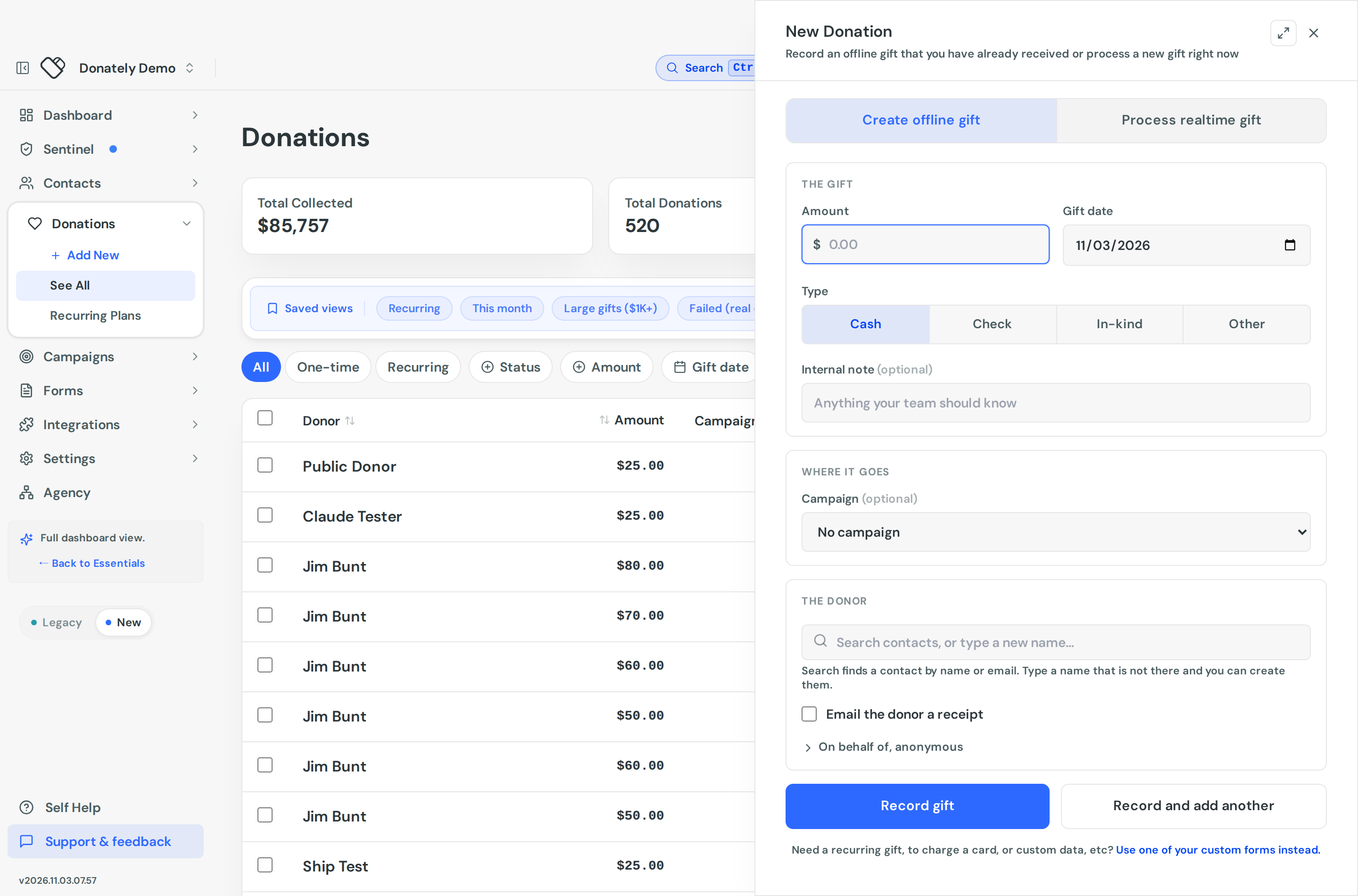
The sheet has three parts.
The gift. Enter the amount and the gift date, which is the day the money or goods arrived. The record's created date stays today. Pick the type, add the detail that type asks for, and leave an internal note for your team if you like. Notes are never shown to the donor.
Where it goes. Choose a campaign, and a fundraiser under it if a fundraiser raised the gift. Both are optional.
The donor. Search your contacts by name or email and pick the person. Type a name that is not there and you can create them on the spot, with an email address if you have one. Open On behalf of, anonymous to credit a company or a family, or to keep the gift off public lists.
Select Record gift, or Record and add another when you are working through a pile of checks. The second keeps the gift date, type, campaign and fundraiser for the next entry and clears the rest.
The four gift types
| Type | Detail you enter | Use it for |
|---|---|---|
| Cash | None | Cash from an event or a collection |
| Check | Check number, optional, for reconciling against the deposit | Checks and money orders |
| In-kind | Description of goods or services, required. The amount is the fair market value. | Donated goods, equipment, services |
| Other | Description of gift, required | Stock transfers, wires, crypto, DAF grants, giving-day payouts |
Quick entry records one-time gifts. For a donor who gives monthly outside the platform, record each gift as it arrives.
Grants from a donor-advised fund
A donor-advised fund (DAF) grant arrives from the sponsor, such as Fidelity Charitable or Schwab Charitable, after a donor recommends it. Record it like this:
- Choose Other and describe the grant with the sponsoring fund and the grant number, for example "DAF grant via Fidelity Charitable, grant #12345". That is what you will look for when reconciling the check or transfer.
- Attribute the gift to the person who recommended it, so it sits in their giving history. Put the fund's name in On behalf of if you want it shown.
- Set the gift date to the day the money arrived, not the day the donor told you it was coming.
- Tick Not tax-deductible. The donor took their deduction when they put money into the fund, so the grant must not be acknowledged as deductible again. See the next section.
- Enter the full grant amount. If the sponsor took a fee, say so in the internal note rather than reducing the amount.
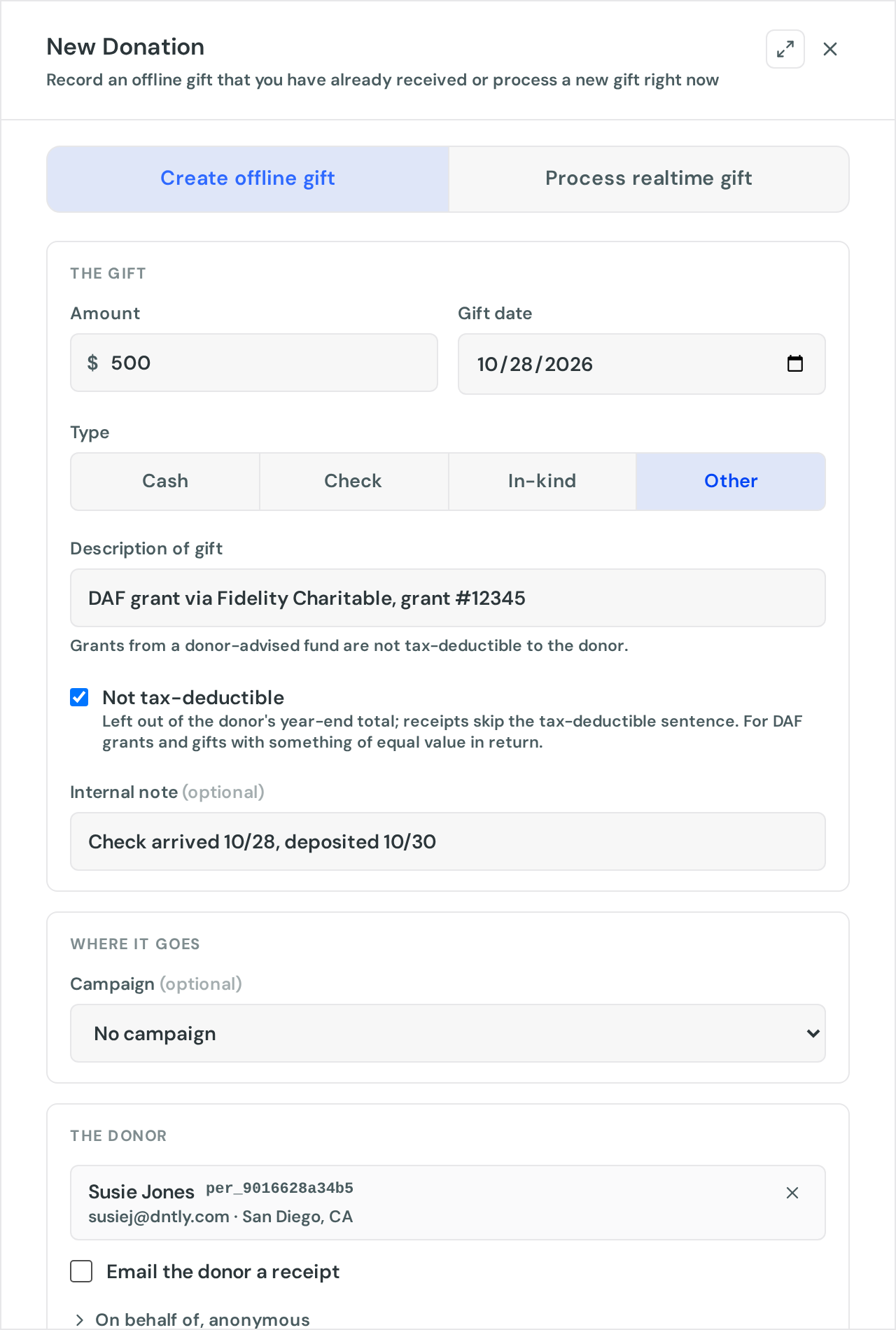
You can still email the donor a receipt. With the gift marked not tax-deductible it acknowledges the grant without the tax-deductible sentence, which is the right thank-you for a DAF gift.
Donately does not take DAF gifts on the donation form itself. If you want donors to give from a DAF on your website, add the sponsors' DAF Direct widget beside your form and record each grant here when it arrives.
Mark a gift as not tax-deductible
Some gifts should not count toward a donor's deductible total: DAF grants, gifts where the donor received something of equal value in return, and gifts a business treats as an expense. Tick Not tax-deductible under the type when you record the gift, or later from Edit Donation on the gift's page.
What it changes:
- Receipts for the gift leave out the "no goods or services were provided" sentence.
- Year-end tax statements list the gift under gifts not counted toward the deductible total, without a dollar value, and leave it out of the total. See Send annual tax receipts to your donors.
What it does not change: the gift still counts toward your campaign totals, the donor's giving history and every report. In-kind gifts are always marked this way, and the box cannot be unticked for them.
Receipts
A recorded gift does not email the donor unless you tick Email the donor a receipt. That is deliberate: most offline gifts were acknowledged when they arrived, and a second automatic email confuses donors. If the contact has no email address, the sheet asks for one when you tick the box and saves it to the contact.
The receipt names the payment method: Cash, Check, In-kind or Other. In-kind receipts and gifts marked not tax-deductible leave out the tax-deductible sentence. You can send a receipt later from the gift's page with Resend Receipt. See Donation receipts.
After you record it
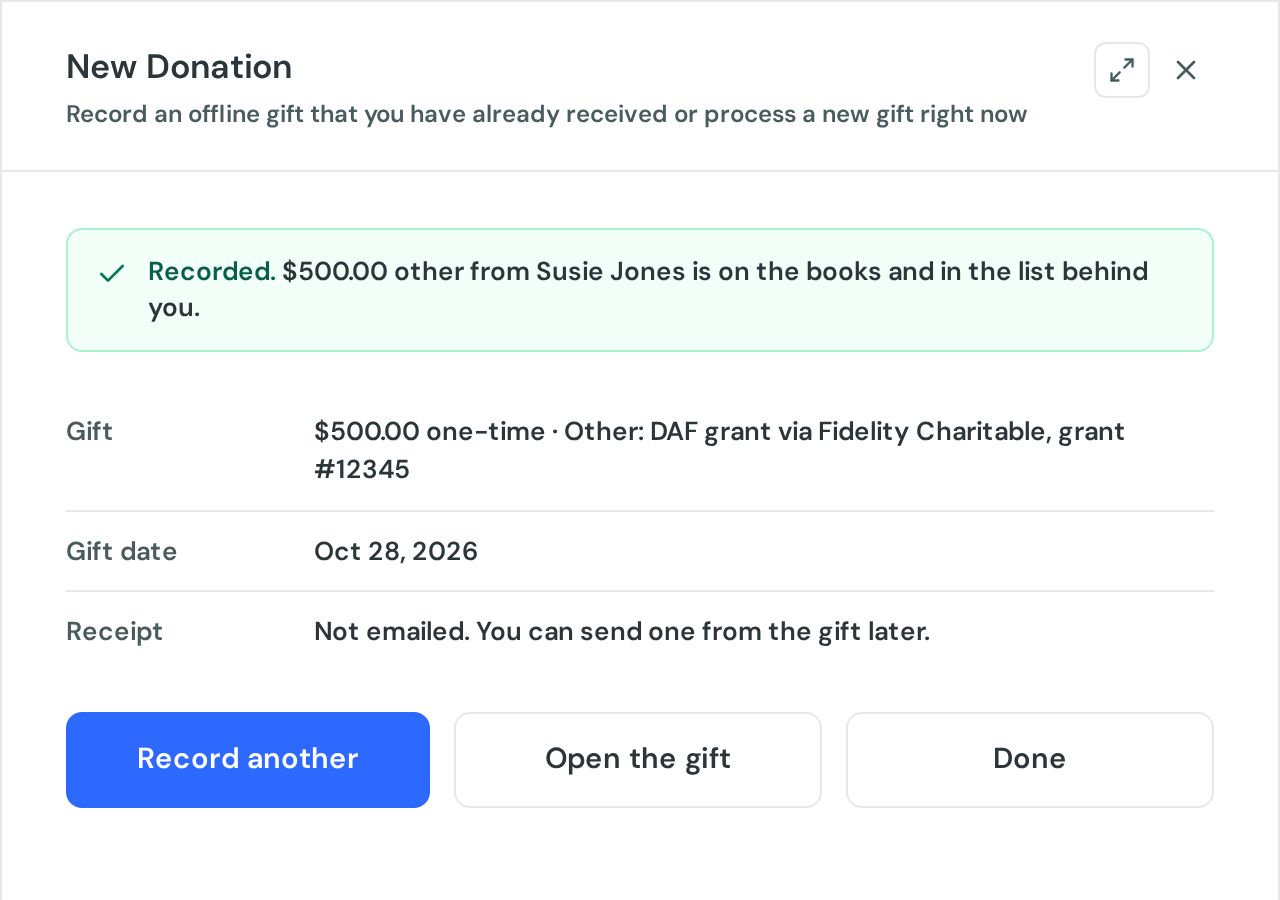
Open the gift from the confirmation or from the donations list. The Donation Details card shows the payment type with its detail, whether a receipt was emailed, and the date, marked Backdated when it is earlier than the day it was entered.
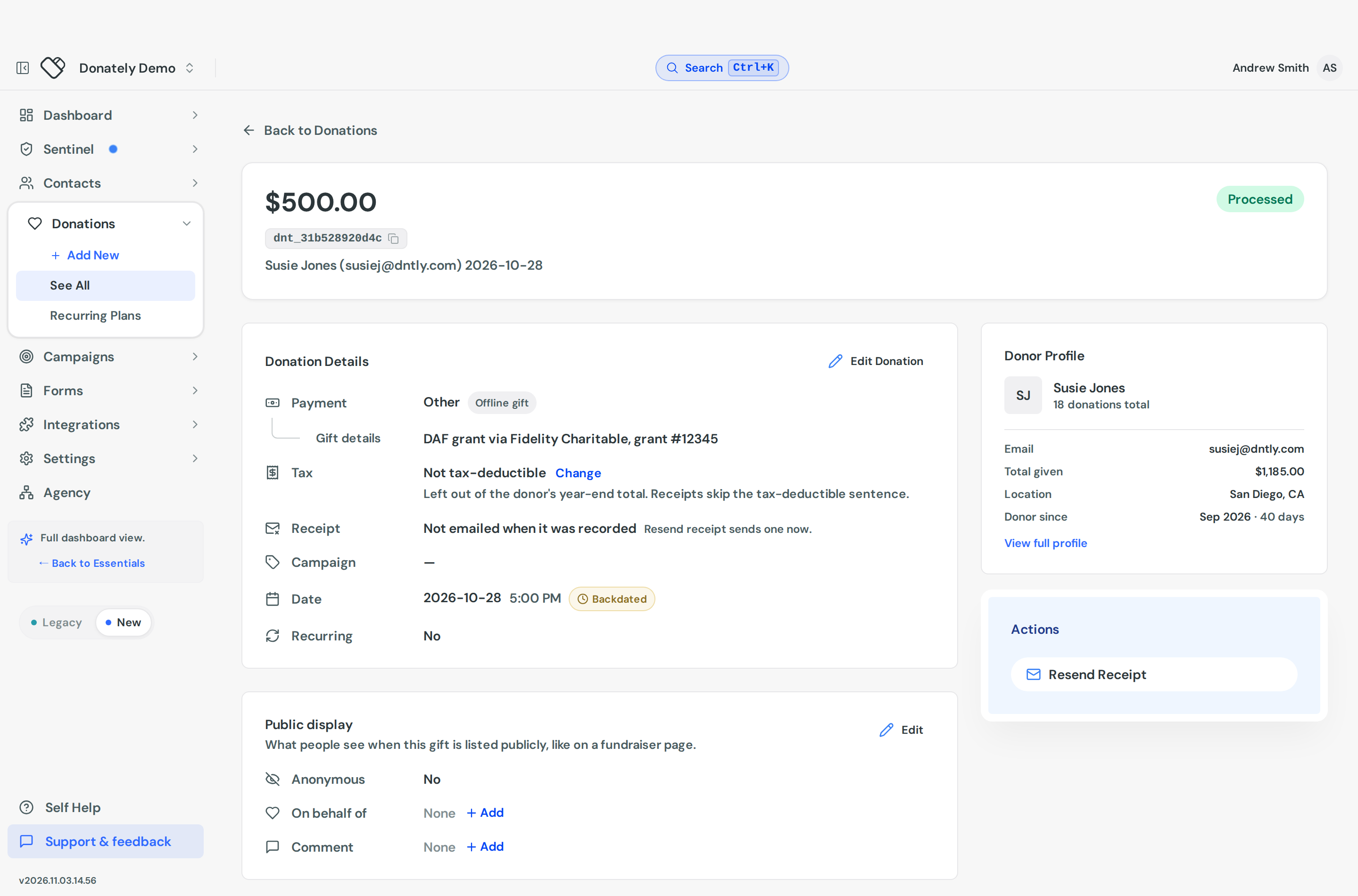
Edit Donation lets you change the amount, the date, the type and its detail, the campaign and fundraiser, and the tax-deductible mark. Switching from check to in-kind, for example, drops the check number and asks for a description. Offline gifts can be deleted. Processed card gifts cannot, because they represent a real transaction, so refund those instead.
Recording many at once
For a batch, use Import on the Donations page. The template has a column for the type (cash, check, in_kind or other), one each for the check number, the in-kind description and the other description, and a tax_deductible column that takes yes or no. Blank means deductible, except for in-kind rows, which never are. See Import donations.
Charging a card instead
If the donor is giving now, choose Process realtime gift in the sheet, or Use a form from the menu. Both open one of your published forms, so you can charge a card or PayPal, set up a recurring gift, or collect the form's own questions.
Who can do this
Recording and editing gifts needs an admin role on the account. Team members without those permissions can see the donations list but cannot add to it.