
Give your team access to your account
Invite a teammate, what an admin can do, how to hand off ownership, and how to remove someone.
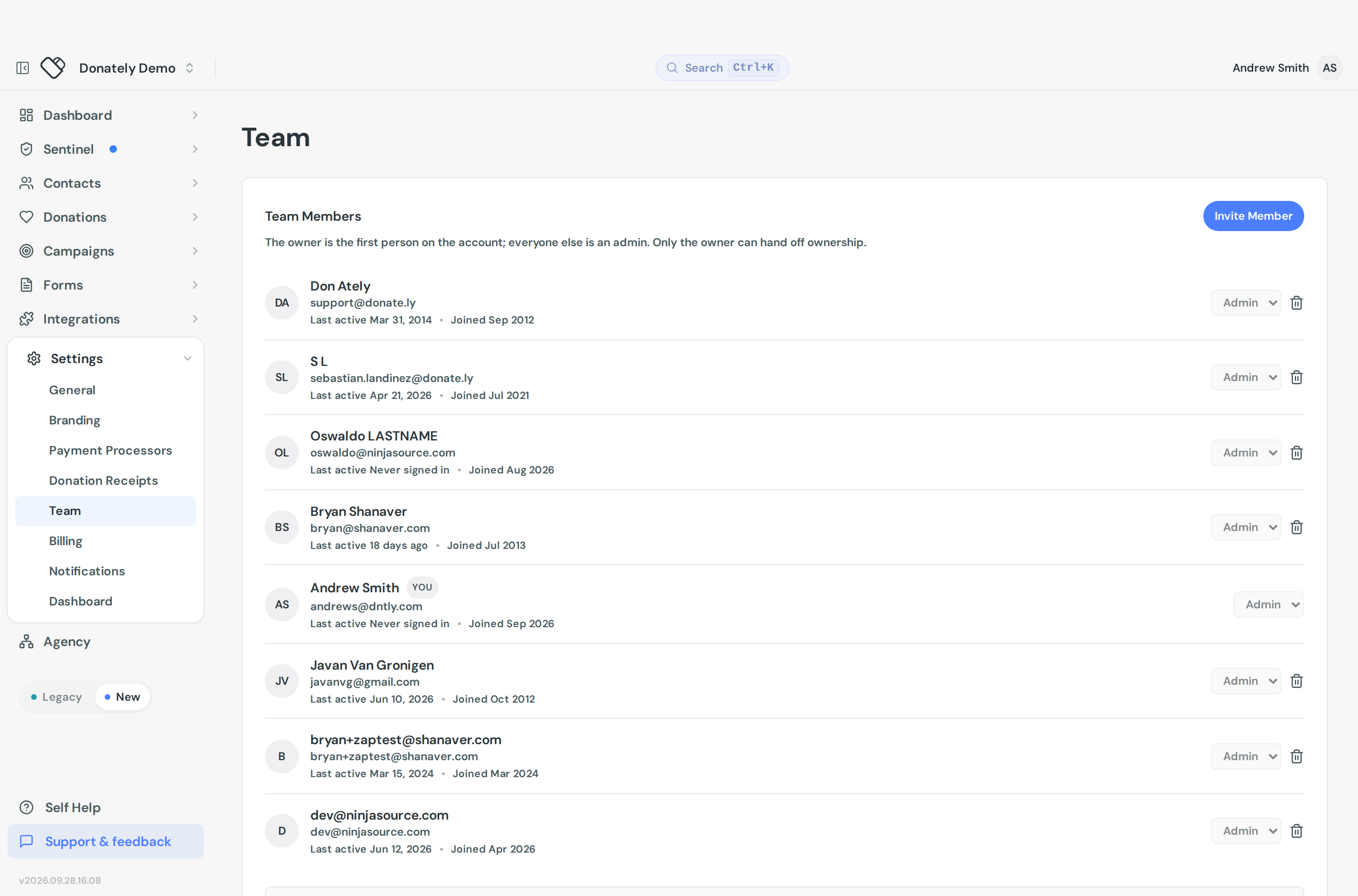
Everyone who works on your fundraising should have their own login rather than sharing one. Go to Settings, then Team.
Invite someone
- Select Invite Member.
- Enter their email address.
- Select Send invite.
That is the whole form. There is no name field and no role picker, because everyone you invite joins as an admin.
They appear in Team Members straight away, with Never signed in on their row until they accept. Their row shows when they were last active and when they joined.
There is no pending or invited badge, and no resend or revoke. If you invited the wrong address, remove the row and invite the right one.
This is not limited by plan. Older help articles said multiple admins needed a Team or Enterprise plan. That is no longer true.
The two roles
Owner. The first person on the account. The owner can hand off ownership, and that is the only thing reserved to them.
Admin. Full access to campaigns, donors, billing and settings. Cannot transfer ownership.
In practice an owner and an admin can do the same things day to day. Note that "full access" really does mean billing and payment processor settings too, so an admin can change your plan or reconnect Stripe. Invite accordingly.
Hand off ownership
There is no button called "transfer ownership". Change the person's role instead:
- Find their row in Team Members.
- Open the role dropdown on that row and choose Owner.
- Confirm.
Donately warns you that you will be changed to an admin and will no longer be able to transfer ownership. Only the current owner can do this, and only on somebody else's row.
The dropdown does nothing else. You cannot demote an admin to a lesser role, because there is no lesser role to demote them to.
Remove someone
Use the bin icon at the right of their row and confirm. They lose admin access to the account.
You cannot remove yourself, and you cannot remove the owner. To remove an owner, transfer ownership first, then remove them as an admin.
Any admin can remove any other admin, so there is nothing stopping a colleague from removing you. Keep the team small and current.
What to do when someone leaves
Remove them promptly, and remember Donately access is not the only thing they may hold. Check whether they also have access to your Stripe or PayPal account, which Donately does not manage, and rotate anything they knew. If they used the API, their personal token dies with their access, but any script running on it stops working, so hand that over first. See Zapier for where personal tokens live.
A limitation worth knowing
The Team Members list shows owners and admins. Donately's underlying permission system has some narrower roles that predate this screen, and anyone holding one of those will not appear in this list even though they have access. If you are auditing who can get in and the list looks short, contact support to check.