
Campaign statuses, archiving and deleting
What Published, Draft and Archived do, why the campaigns list shows different words, and when to archive rather than delete.
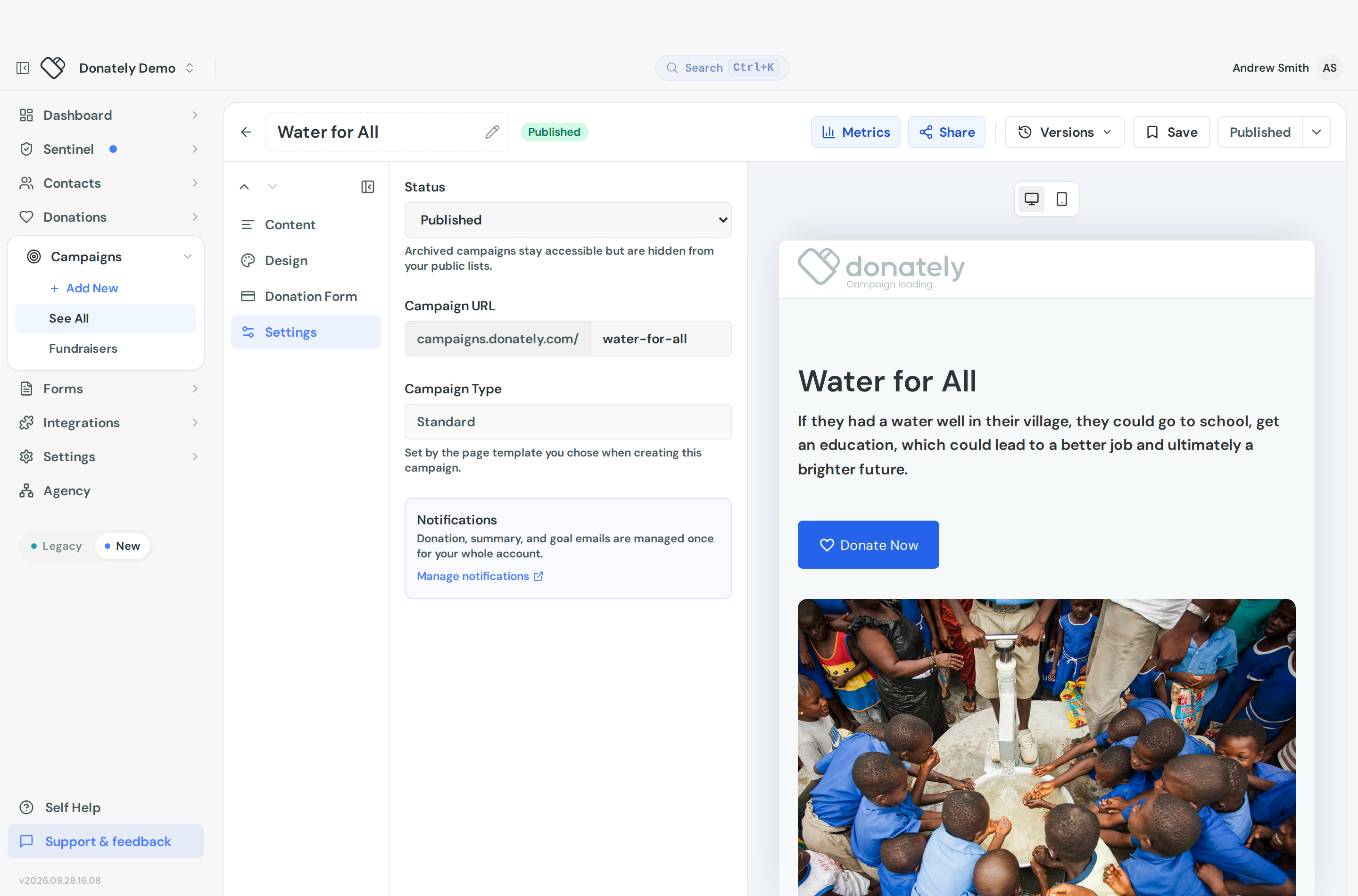
A campaign has three statuses. You set them in the campaign builder under Settings, where the Status dropdown offers Draft, Published and Archived. The change applies immediately, with no confirmation.
Draft is where a new campaign starts. There is no public page, so you can build and rework it as long as you like without anyone finding it.
Published means the campaign is live. It has a public page, it can take donations, and on a peer-to-peer campaign supporters can start their own fundraising pages from it.
Archived ends the campaign. It comes off your public lists and the Share tab stops offering a link for it.
You can move between all three at any time.
Why the list says something different
The campaigns list does not use those three words. It shows Active, Completed and Draft, which are worked out from the campaign rather than stored on it:
- Active means published and not yet at its goal.
- Completed means published and at or past 100% of its goal. It is not a status you can set. Choosing "Completed" in the bulk status menu simply publishes the campaign.
- Draft covers everything not published.
That last one catches people out: an archived campaign shows as "Draft" in the list. To see your archived campaigns, use the Archived tab rather than looking for an "archived" badge.
The list tabs are All, Active, Draft, Completed and Archived.
Archiving
Archiving is just the archived status under another name. Use Archive from the row menu in the campaigns list, or the bulk action bar, or set it in the builder. Restore on the Archived tab puts it back to published.
Neither asks for confirmation, and both are easy to undo.
Archiving does not cancel recurring donations. Any recurring plan attached to the campaign keeps running and the gifts keep being earmarked to it. If you want the money to stop, cancel the plans individually. See Recurring plan statuses.
Deleting
Delete is separate and permanent. It is in the row menu, and Donately asks you to confirm that it cannot be undone.
You cannot delete a campaign that has donations. The option is disabled with the message that campaigns with donations cannot be deleted, and suggests archiving instead. That is the right answer anyway: deleting would take the history of those gifts with it.
In practice, delete is for campaigns created by mistake. Archive is for campaigns that ran.
Previewing before you publish
The campaign builder has a live preview, so you no longer need to publish a campaign just to look at it. Note that an earmark campaign has no preview at all, because it has no hosted page. See Choose a campaign type.
To publish, the campaign needs a goal of at least $1.00.
Fundraisers and forms use different words
Fundraisers are only Published or Archived. There is no draft state. Their list badge shows Active or Completed, again derived from progress toward the goal.
Forms use Published, Draft and Paused, and a form can be published and have unpublished draft edits at the same time. Forms cannot be archived.