
Connect PayPal to accept PayPal donations
How to add PayPal as a payment method, what its statuses mean, and why PayPal on its own cannot take card donations.
PayPal is an optional extra payment method. Donors who choose it are sent to PayPal to pay, and the donation comes back into Donately like any other.
Get a PayPal Business account first
If your organisation doesn't already have one, create a PayPal Business account before you start, at paypal.com/bizsignup. Connecting is much smoother when the account already exists.
Connect PayPal
- Go to Settings → Payment Processors.
- On the PayPal card, click Connect.
- Complete PayPal's onboarding with your Business account.
Business accounts often do not come back to Donately automatically. That is PayPal's behaviour, not a failure. The card waits for PayPal to confirm and updates itself, which can take a few minutes. You can leave the page and come back.
Check the connection
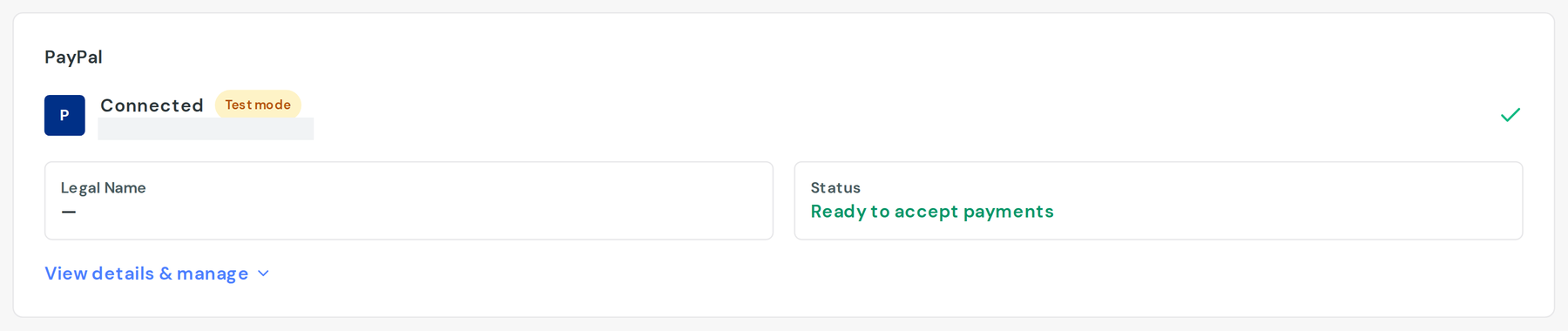
The PayPal card shows a status:
- Ready to accept payments means you're done.
- Email not confirmed means PayPal still needs you to confirm the account's email address.
- Cannot receive payments means PayPal is not letting the account take money yet. Sign in to PayPal and clear whatever it asks for.
- Access removed means the permission you granted Donately has been withdrawn. Connect again.
- Donations at risk is the one to act on quickly. It means your PayPal setup cannot authorise recurring donations, so new recurring gifts through PayPal will fail. The card links you to PayPal Merchant Services, who have to enable it on their side.
Under View details & manage → Tools, Sync PayPal Account re-checks the status.
Turn PayPal on for a form
Connecting makes PayPal available; each form decides whether to offer it. In the form builder's Payment section, switch on PayPal, then publish. See Choose which payment methods your form accepts.
Can we use only PayPal?
Yes, you can run on PayPal alone, and onboarding treats a PayPal connection as a complete setup.
Be clear about what you give up. PayPal handles PayPal. It cannot take card payments, bank transfers, Apple Pay or Google Pay: those all run through Stripe. A PayPal-only form asks every donor to have a PayPal account and to complete a donation on PayPal's site, and some will not. Most organisations connect Stripe as the main method and add PayPal alongside it.
Things worth knowing
- eCheck donations take time. A donor paying by eCheck through PayPal shows as pending until it clears, which can take up to six business days. Nothing is wrong; it hasn't settled yet.
- Recurring donations rely on a PayPal agreement. If that ability is missing from your PayPal setup you'll see Donations at risk, and recurring gifts will not start.
- Changing PayPal account stops existing recurring donations authorised against the old one, exactly as with Stripe. Under Danger zone you'll be asked to type
DISCONNECT, which is the moment to be sure.