
Reword any text on your donation form
Set the form's language, override individual labels with your own wording, or hide them entirely.
Every piece of text on a donation form can be changed, from the donate button to the error messages. Open the form and go to Appearance, then the Language tab.
Pick a language
Form language sets the language the form renders in. The options are English (US), Español, Français (CA), Français (FR), Italiano, Deutsch, Svenska and 中文 (HK).
This is per form, so a bilingual organisation runs two forms and links to whichever suits the audience.
Override individual labels
Choose Custom text & translations. You get a searchable list of every label on the form, each with three settings:
- Default uses Donately's built-in text.
- Custom replaces it with your wording. The box shows the default as its placeholder, so you can always see what you are replacing.
- Hidden renders the label as nothing.
The counter at the top shows how many you have overridden, and the search box filters by label name or by the default text, which is the quickest way to find something: search for the words you can see on the form.
Labels are grouped by area: amount and frequency, recurring schedule, donor fields, address, fee coverage, buttons and steps, payment method, offline gifts, Double the Donation, eCard, confirmation and sharing, legal, errors and warnings, and the language selector.
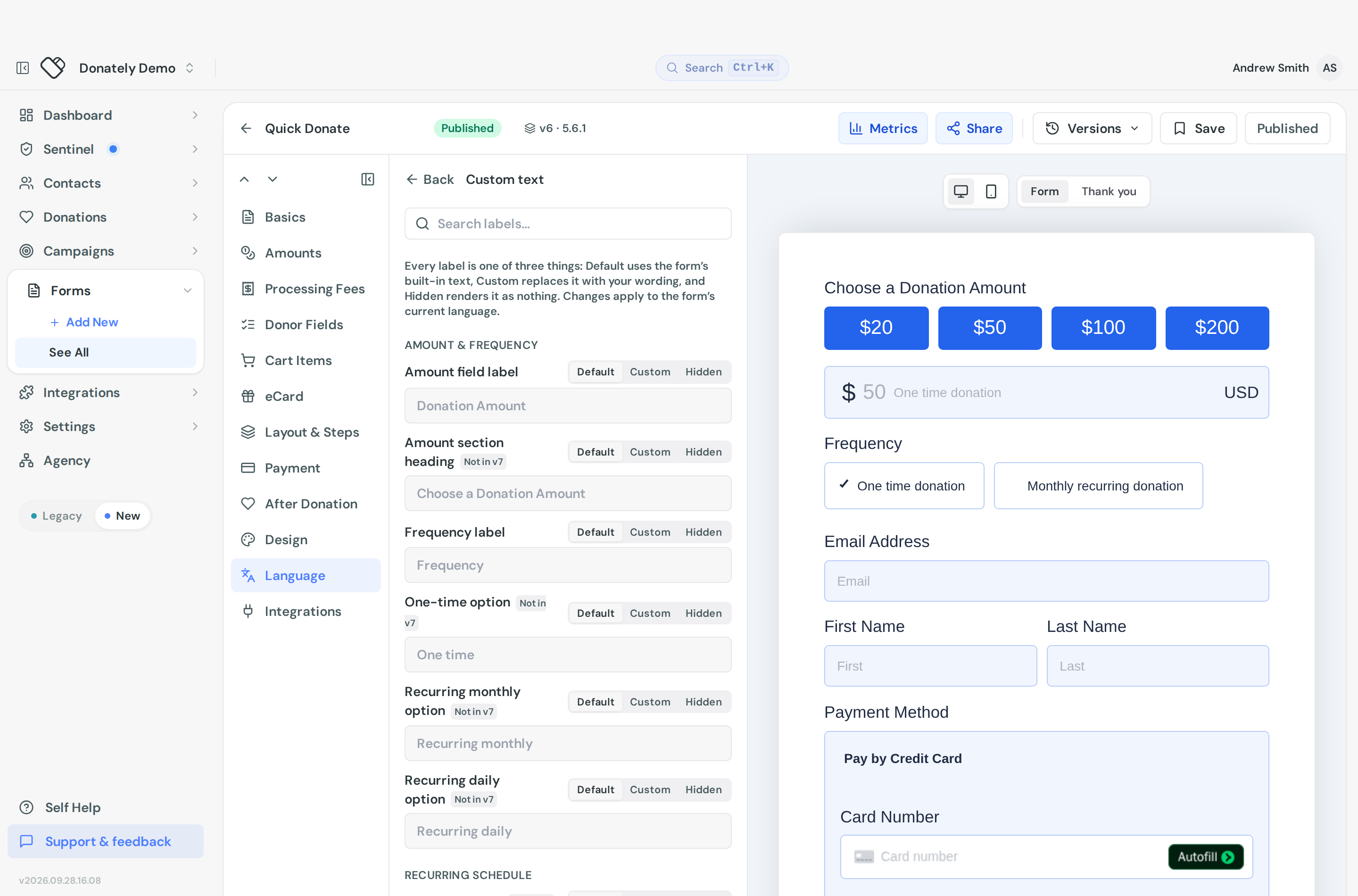
Overrides apply to the form's current language. Changing the language does not translate your custom wording for you.
What you would use this for
Renaming the donate button is the most common one. "Register for the 5k" turns a donation form into an event registration.
Rewording the fee-coverage prompt in your own voice rather than the generic phrasing.
Hiding a label you do not want, without hiding the field it belongs to.
Fixing terminology so the form says "gift" rather than "donation", or "supporter" rather than "donor", throughout.
Two things that are not in this list
The thank-you text and share message are in the After Donation section. See What happens after a donation.
The frequency labels, such as "Monthly recurring donation", are edited on their own rows under Amounts & Fees, on the Amounts tab. See Set the giving frequencies your form offers.
Notes
There is no import or export of translations, so a large set of overrides is entered by hand. If you run several similar forms, set one up the way you want and duplicate it rather than redoing the work.
Some labels only apply to certain form layouts and are marked in the list when they do not apply to yours.
Non-English copy is still being reviewed, so if you set a language other than English, read through your form before publishing and override anything that reads poorly.