
Recurring plan statuses and failed payments
What Active, Failing, Paused and Cancelled mean, what happens when a card is declined, and what you can do about it.
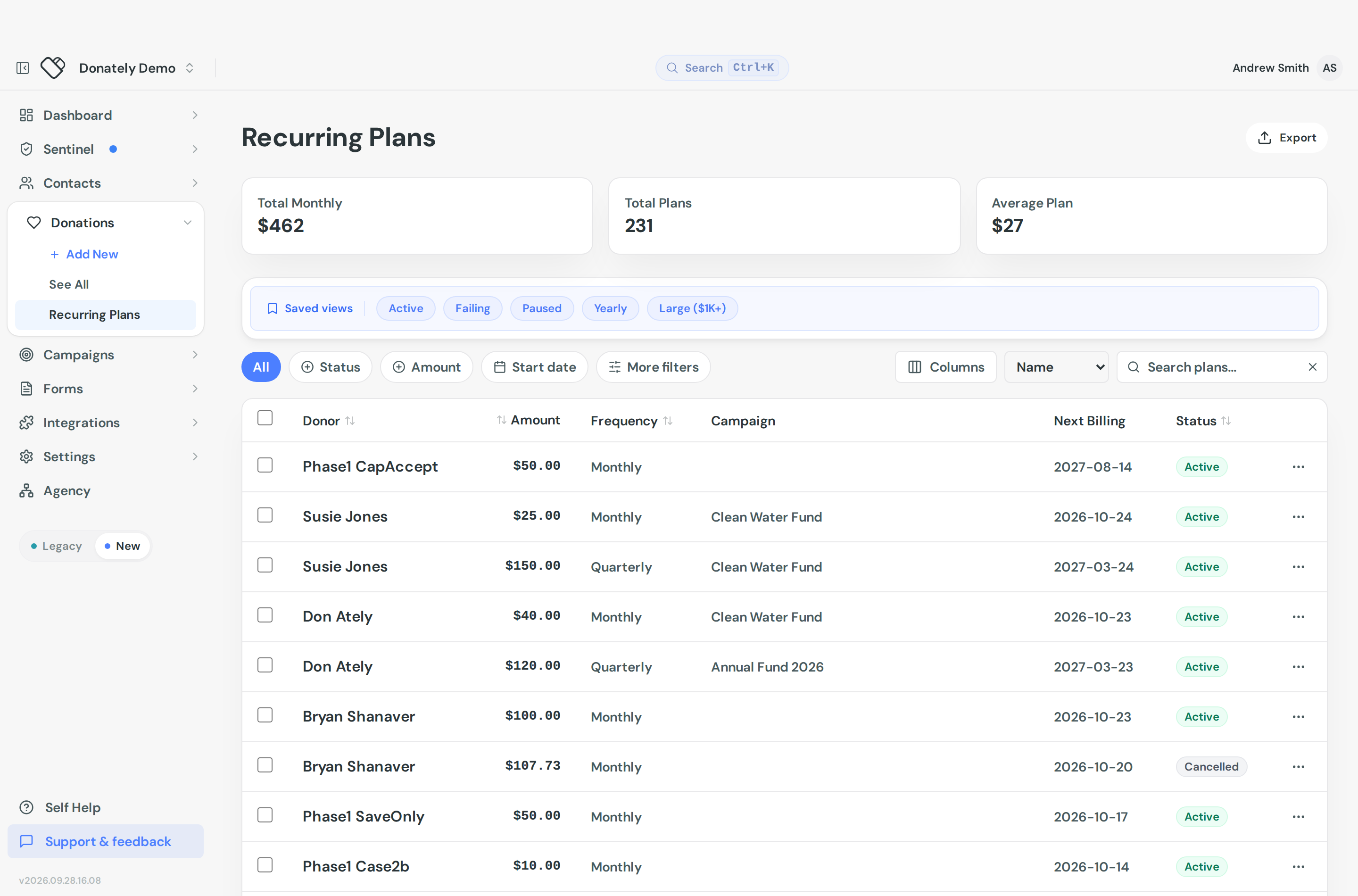
Recurring plans live under Recurring Plans. Each one has a status that tells you whether it is charging normally, struggling, or finished.
The four statuses
Active. The plan is charging on schedule. Nothing to do.
Failing. At least one charge has been declined. The plan is still live and will retry on its own. Under the status you will see how far through the retries it is: Attempt 1 of 3, Attempt 2 of 3, or Suspends on next failure.
Paused. No charges are being attempted. A plan lands here either because an admin paused it, or because it ran out of retries and Donately suspended it. The two look identical in the list, so check the plan's activity to tell them apart.
Cancelled. Finished, by an admin or by the donor. No further charges.
The list has saved views for Active, Failing and Paused, which is the quickest way to see what needs attention.
One quirk to expect if you work with exports: the CSV carries the stored value rather than the display label, so a Failing plan exports as past_due.
What happens when a card is declined
Donately retries a failed charge up to three times. After the third failure, the next attempt suspends the plan and no further charges are made until something changes.
So a plan showing Attempt 2 of 3 has one retry left, and one showing Suspends on next failure is on its last chance.
Open a plan and look at Plan Activity for the detail. Each failure is listed, and Donately tells you what kind of problem it is:
- Temporary, no action needed yet. A transient decline that may well succeed on retry.
- This plan needs updated payment details. An expired card, a card that was replaced, or saved details the processor no longer holds. The plan is not dead: put a working payment method on it and it carries on from the next charge.
- This plan cannot charge again as it stands. A cancelled PayPal agreement, or a bank account that can no longer be debited. These cannot be rescued by updating a card, so the donor has to set the plan up again.
- We're already looking into this one. A problem on our side that nobody at your organization can clear.
That prognosis is the useful bit. It tells you whether to wait, to fix the payment method, or to stop chasing.
Fixing a plan that needs payment details
Two ways, and either one is enough:
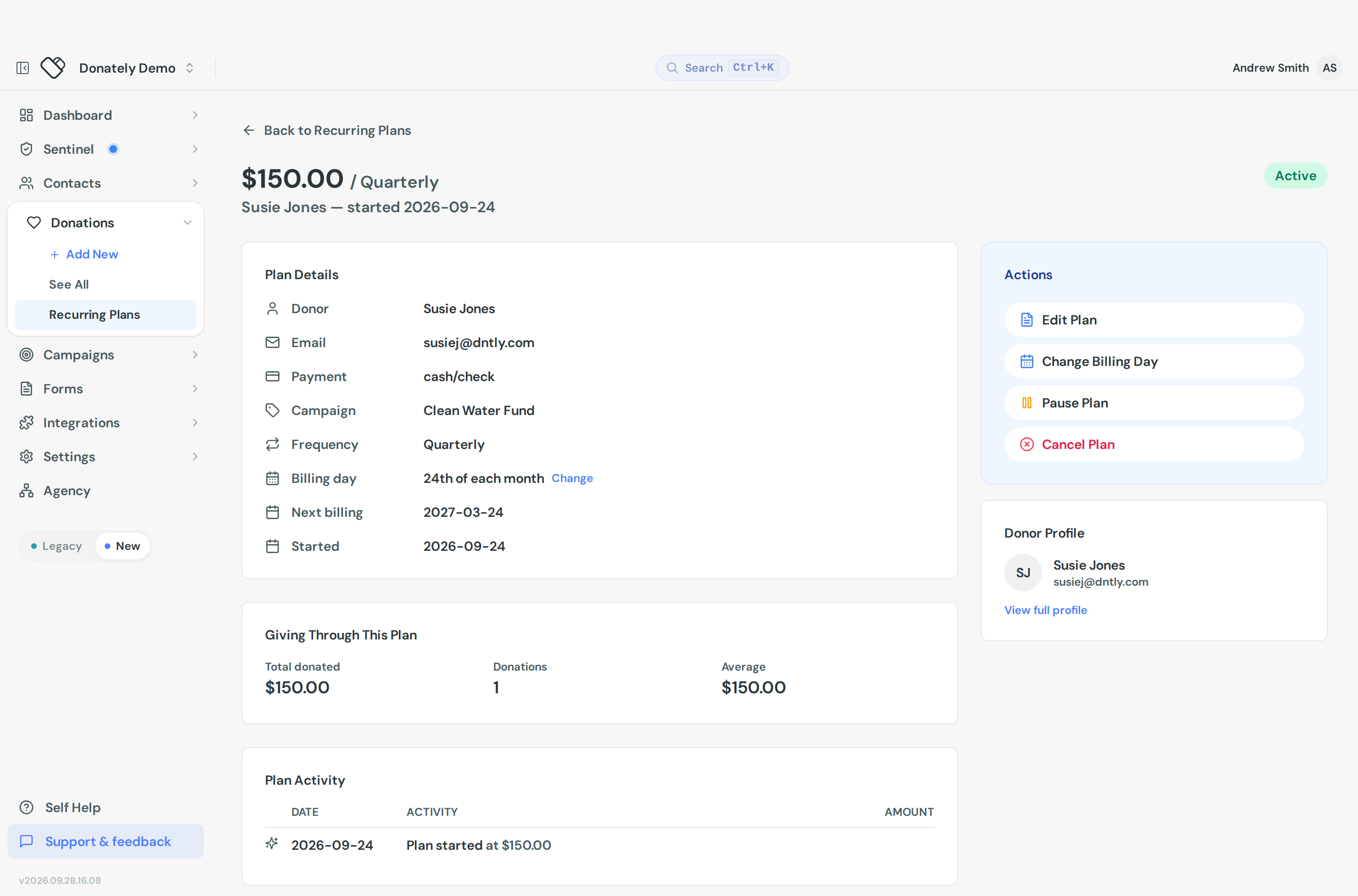
- You do it. Open the plan and click Update Card in the Actions panel. You will need the donor's new card details, so this is the one to use when you have the donor on the phone.
- The donor does it. They sign in at my.donately.com, open the plan, and add a card or a US bank account themselves. They do not need to contact you, and you do not need to handle their card number.
A plan that has already been suspended needs a working payment method before you reactivate it. Reactivating on its own puts the plan back on the same failing details, and it simply fails again on the next run. Donately holds the Reactivate plan button back until the plan points at a payment method that can be charged.
Telling donors their payment failed
Donately does not email the donor when a charge fails, so unless you tell them, a donor usually has no idea their giving has stopped.
Stripe's revenue recovery emails do not cover these failures either, so switching those on will not reach your recurring donors.
Until we send these ourselves, the practical approach is to email the donor yourself and point them at my.donately.com, where they can replace the card or bank account on the plan without needing anything from you. The failure message on the plan tells you whether that will actually help, so you are not asking a donor to fix something they cannot.
Getting told yourself
Turn on the Recurring donation failed notification so you find out without watching the list. It is a daily digest, and every plan includes it. See Admin notifications.
What you can do to a plan
Open a plan for its Actions:
- Edit Plan changes the amount, the frequency, an end date, the campaign or fundraiser, the on-behalf-of name, the comment, anonymity, and whether receipts are sent.
- Update Card replaces the card on file. The new card is used from the next billing date. Card details go straight to Stripe and never touch Donately's servers. This is unavailable for plans paid by ACH, PayPal or anything else that does not support a self-service card change.
- Change Billing Day moves the plan to a different day of the month, with a Last day of month option. Donately previews the new next-charge date and warns you if the change would charge the donor twice in quick succession, which is the mistake most people make here.
- Pause Plan stops charges and keeps everything else. It applies immediately, with no confirmation, so be deliberate.
- Activate Plan restarts a paused or cancelled plan.
- Cancel Plan stops all future charges. Donately confirms with the donor's name and amount, and warns that it cannot be undone.
You can also change status in bulk: select plans in the list, then Change status.
There is no "charge now" button. You cannot force a retry from the dashboard. If a donor has fixed their card, update it on the plan and the next scheduled charge will use it.
You cannot switch between a donor's saved cards. The Payment methods on file card shows which one the next charge will use, but it is read-only. Use Update Card to put a new one on.
Importing plans from another platform
Migrating live recurring gifts is a separate, support-assisted process. See Import active recurring donations.