
Send an eCard with a tribute gift
Let donors give in honour or memory of someone and email them a card, and set up the designs and the email copy.
An eCard lets a donor give in honour or memory of someone and have a card emailed to the honoree or their family. It is the natural companion to memorial and celebration giving, and it reliably lifts average gift size because the gift is a present as well as a donation.
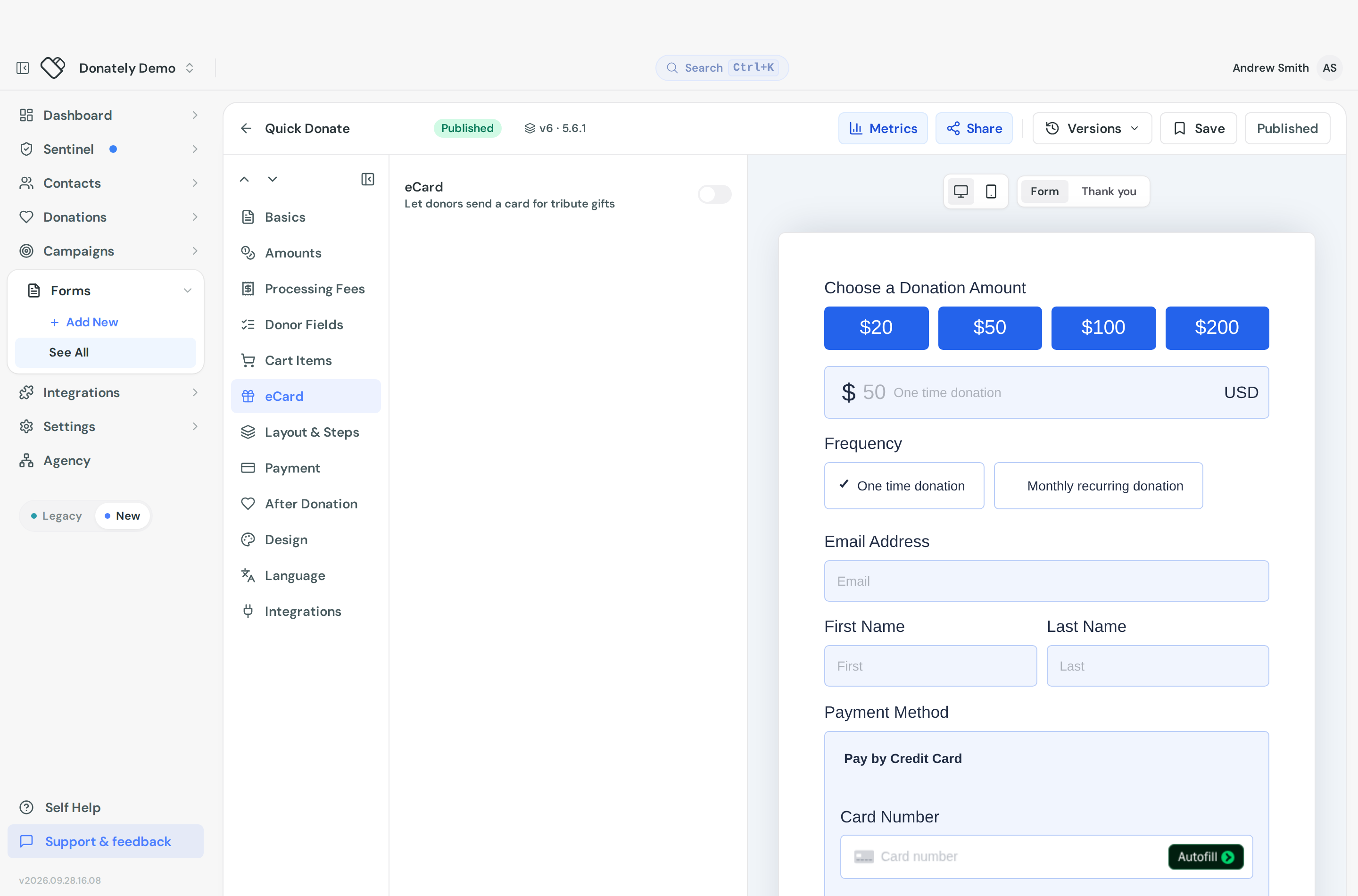
Turn it on
- Open the form and go to Form Fields, then the eCard tab.
- Turn on eCard, described as "Let donors send a card for tribute gifts".
- Go to Layout & Steps and place the eCard to recipient block where you want it. The builder will tell you if it is unplaced.
There is also an eCard form template that sets all of this up for you, including the dedication field, if you are starting a new form.
Add card designs
Choose Configure eCard. Under Card designs you can add up to four images by URL, and the donor picks one. With none set, donors see a single placeholder card.
Use full-bleed images. Any footer text has to be baked into the image itself.
Open the eCard section by default decides whether donors see the eCard fields straight away or have to expand them. Expanded suits a dedicated memorial form; collapsed suits a general donation form where most people will not use it.
Write the emails
Under Recipient email you write the copy the recipient receives. There are three pieces:
- The in honor of email, sent when the donor picks that option.
- The in memory of email, sent when they pick that one. Write this separately. The tone that suits a birthday is wrong for a bereavement.
- A shared footer used by both, for your signature, address or an unsubscribe note.
Each takes a subject line and a rich-text body. Leave the subject blank for the default, "You received an eCard!".
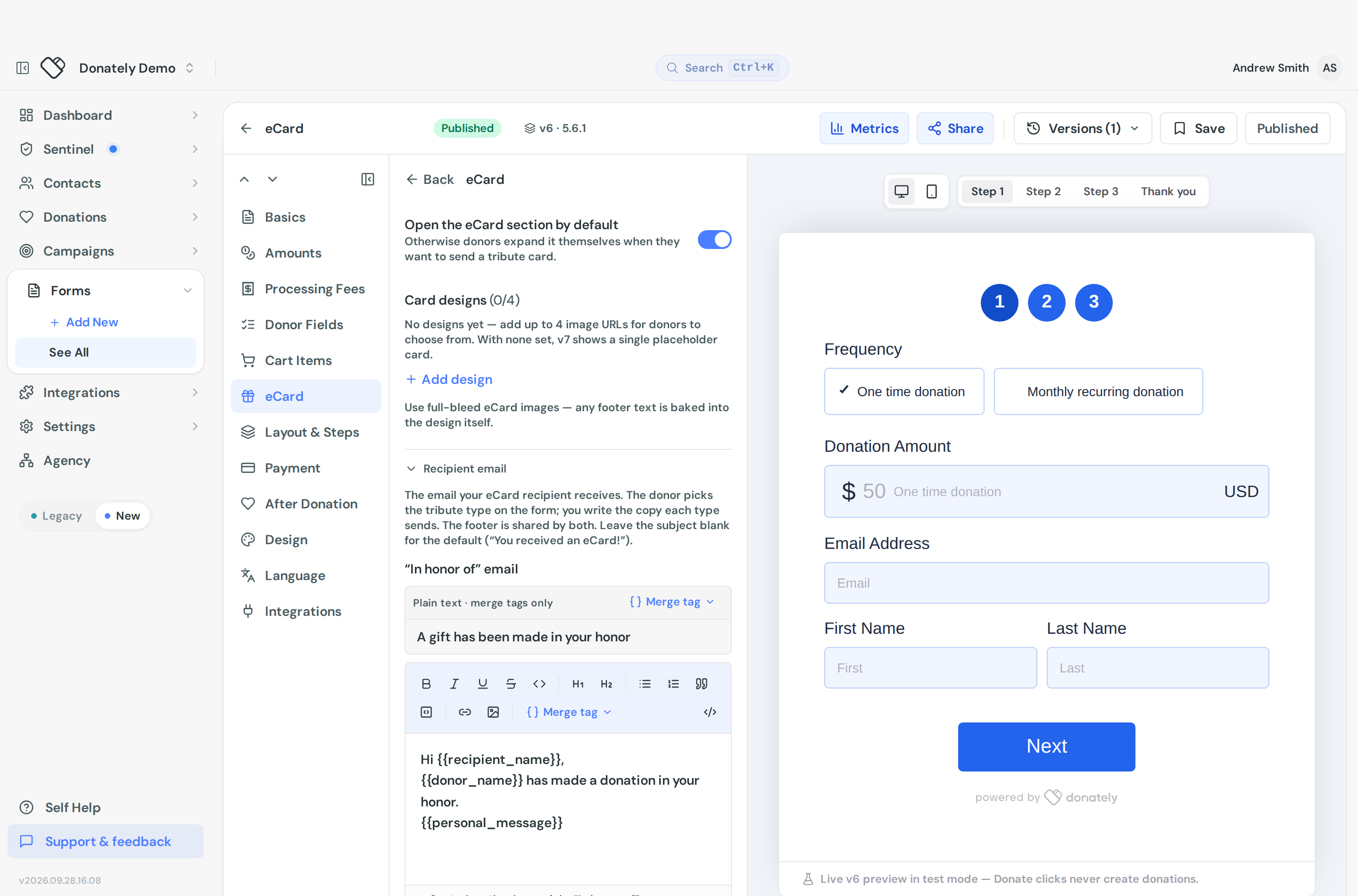
Merge tags available: {{recipient_name}}, {{to_name}} for the honoree, {{from_name}} for the sender, {{message}} for the donor's personal message, {{donation_amount}}, {{donation_frequency}}, {{donation_campaign_or_fundraiser_title}} and {{account_title}}.
Send test eCard email sends the in-honor version with sample data to your own address so you can read it before anyone else does. Use it. This is an email that arrives at an emotional moment and the copy deserves a proof-read in a real inbox.
Email copy goes live when you publish the form.
What the donor fills in
You set up the designs and the copy. The donor supplies the rest at donation time: honour or memory, the honoree's name, the recipient's name and email, a personal message, which design to use, whether to hide the donation amount on the card, whether to send to the honoree or someone else, whether to send now or schedule it for a date, and whether to be notified when it goes.
None of that is configured by you. You can reword every one of those labels under Appearance, on the Language tab, in the eCard group. See Reword any text on your donation form.
Afterwards
Open the donation and you will find an eCard card showing the tribute type, the recipient, the send date or schedule, whether the amount was hidden, the design and the donor's message.
Resend eCard is there too, which emails it again to the same recipient. Useful when someone mistypes an address or the card lands in spam.
To find tribute gifts, the donations list has a Has eCard filter, and the forms list has an eCard column and a saved view for eCard forms.
eCards and the dedication field are different
The Dedication (in honor / memory of) donor field is a free-text line that records who the gift honours. Nobody is emailed. The eCard is the feature that actually sends something.
Many organisations want both: the dedication line for their records and public donation lists, and the eCard to notify the family. See Tribute gifts and notifying the recipient.