
Sell tickets, products and sponsorships on a donation form
Cart items turn a donation form into a checkout: add sections of fixed-price items with quantities, images and inventory limits, and the total replaces the donation amount.
Cart items let a form sell something at a set price: event tickets, sponsorship levels, merchandise, meal choices. The donor picks quantities and the form totals it up, priced by quantity times price.
Open the form and go to Form Fields, then the Cart items tab.
Add a section of items
- Choose a Cart type, which sets the wording donors see. Options include Tickets, Products, Sponsorships, Registrations, Table Reservations and several more.
- Give the section a Section label, the heading above the items, for example "Select items".
- Click Add item for each thing you are selling.
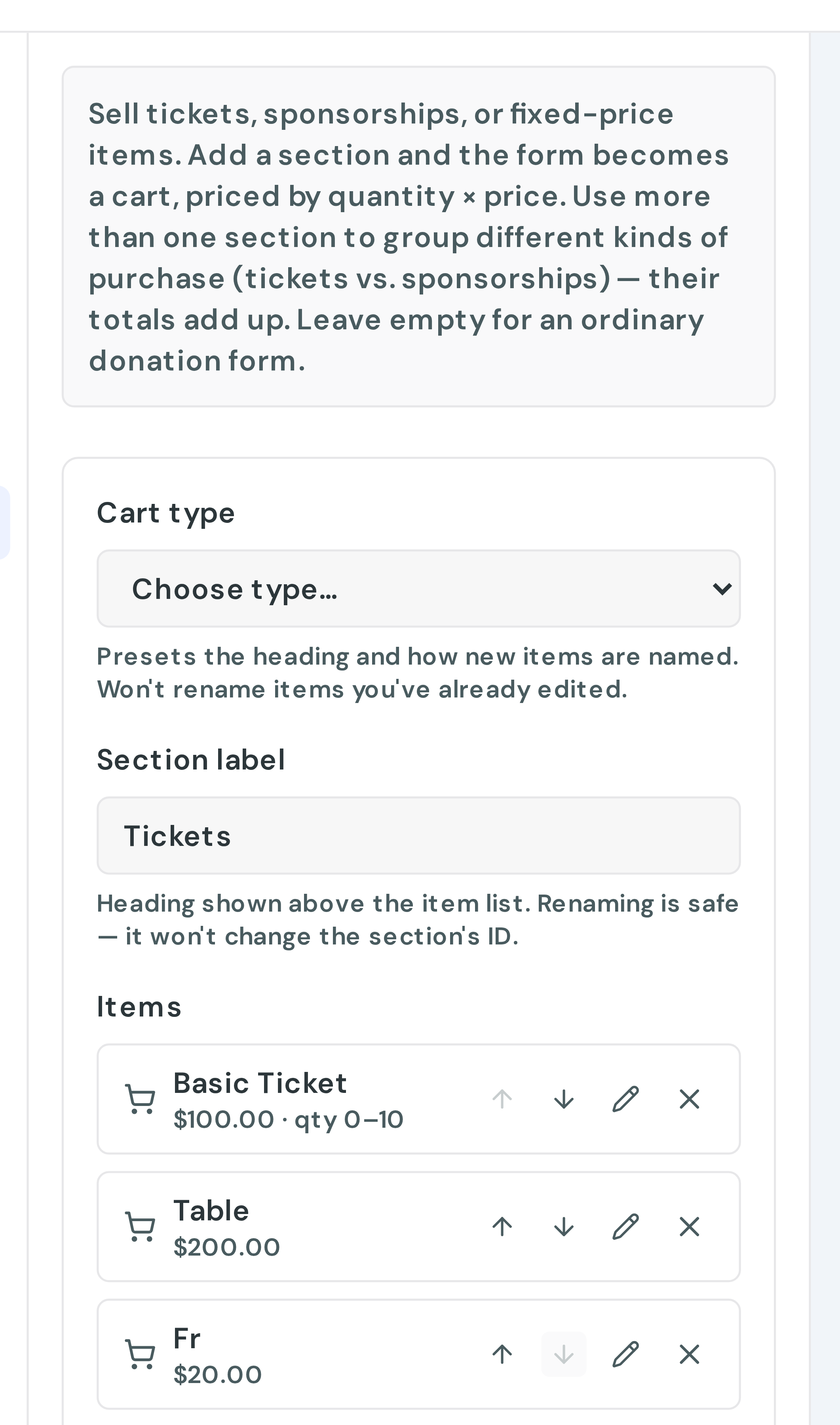
You can add more than one section with Add another section, which is how you separate, say, ticket types from add-on donations. Sections are placed on steps in Layout & Steps.
What each item holds
Click an item to open Edit item:
- Item name, for example "Patron Table (seats 10)".
- Price.
- Description, optional detail shown under the name.
- Image: upload one or paste an image URL.
- Quantity & inventory: the minimum and maximum a single donor can pick, plus an Inventory limit, the total stock across all donors. Leave the limit blank for unlimited.
An item needs a name and a price above zero to appear on the form.
What donors see
Each item shows its image, name, description, price and a quantity picker, with a running Total.
When you set an inventory limit, the form shows how many are left and marks an item sold out once the limit is reached. Treat the limit as guidance rather than a guarantee. Stock is counted periodically, so two people checking out at the same moment can still both get the last one. For anything where overselling is genuinely costly, keep a margin.
How the cart affects the donation
The cart total replaces the donation amount. Once a form has cart items, the amount field becomes read-only and the total drives the gift. If you have several sections, their totals add up.
A cart gift can still be recurring if the form offers recurring giving, and processing fees work exactly as they do on any other gift.
Receipts change, and this is the part worth understanding. A gift with cart items no longer includes the statement that no goods or services were provided, because that would be untrue when someone bought a ticket. Speak to whoever handles your tax reporting about how you want to describe the deductible portion.
Finding the detail afterwards
Open the donation in your dashboard and the items appear in the donation's details, with each line and the options chosen, so you can see who bought what.
Remember to publish
Cart changes save to your draft as you work. The live form does not change until you click Publish.