
Accept Apple Pay and Google Pay on your donation forms
Apple Pay and Google Pay work automatically on Donately-hosted pages. To show them on a form embedded on your own website, register your domain once in Settings.
Apple Pay and Google Pay let donors give in one tap with a card they have already saved on their phone or computer. On Stripe forms they appear inside the card payment area, with no separate setup per wallet.
The short version:
- Donately-hosted pages: nothing to do. Wallets work there automatically.
- A form embedded on your own website: register your website's domain once, in Settings → Payment Processors. Donately will usually prompt you to do this with a task.
You no longer need to change anything in your Stripe dashboard, and you do not need to upload an Apple verification file to your website.
Hosted donation pages
Your Donately-hosted pages run on pages.donately.com, which Donately registers for your account automatically. If donors reach your forms through a hosted page, Apple Pay and Google Pay are already available to them.
Forms embedded on your own website
Apple Pay only shows on a website whose domain is registered with your Stripe account. Registering a domain once turns on Apple Pay, Google Pay and other Stripe wallets for every form on that domain.
Option 1: use the task Donately creates for you
When a donation comes in through a website that is not registered yet, Donately adds a task to your dashboard called Add <your domain> to Apple Pay.
- Open Tasks in your dashboard.
- Find the Add
<your domain>to Apple Pay task. - Click Add this domain.
The task clears itself once the domain is registered.
Option 2: register a domain yourself
Register your domain before you launch so that the very first donors see the wallet buttons.
- Go to Settings → Payment Processors.
- On your Stripe card, click View details & manage.
- Open the Apple Pay domains section.
- Type your domain, for example
donate.example.org, and click Register.
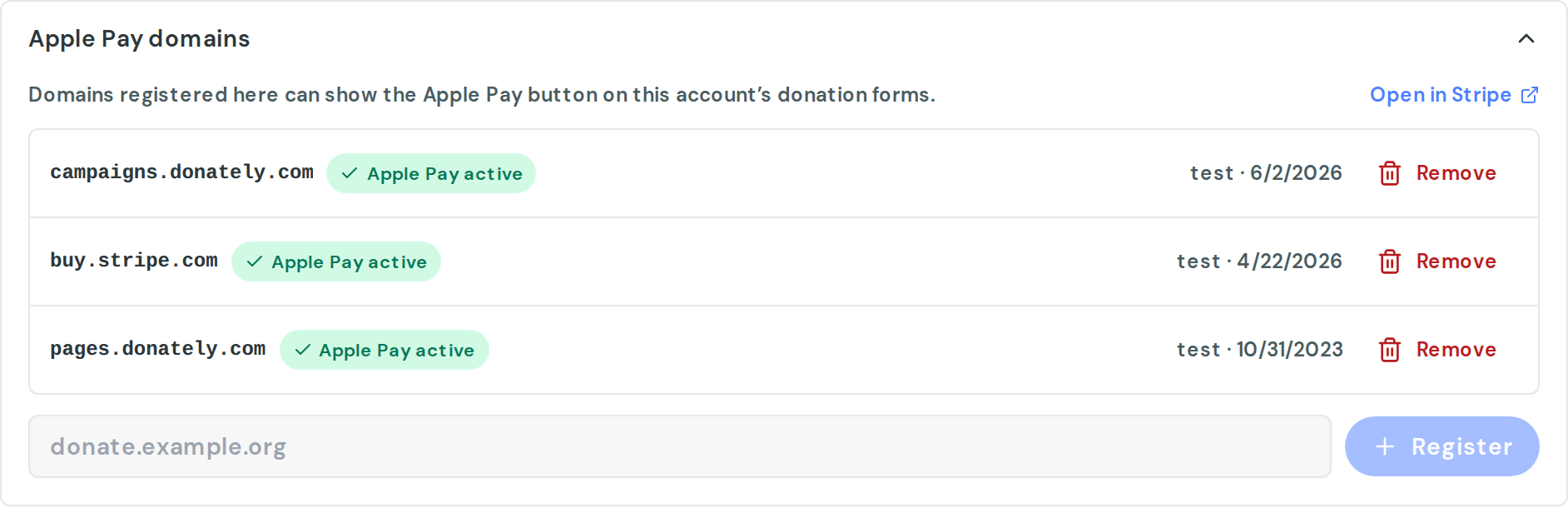
Enter the domain only, with no https:// and no page path. If you paste a full web address, Donately trims it down to the domain for you.
Each registered domain shows a status:
- Apple Pay active: the domain is ready.
- Apple Pay inactive: Stripe could not verify the domain. The reason appears under the domain. Fix the issue, then click Re-validate.
Which domain should I register?
Register the domain donors see in their browser's address bar on the page with your form. Each subdomain counts separately, so www.example.org and give.example.org each need their own registration.
Turn wallets on or off for a form
Wallets are on by default for Stripe forms. To change that for a single form:
- Go to Forms and open the form.
- Open the Payment section.
- Expand Advanced and find Stripe payment methods.
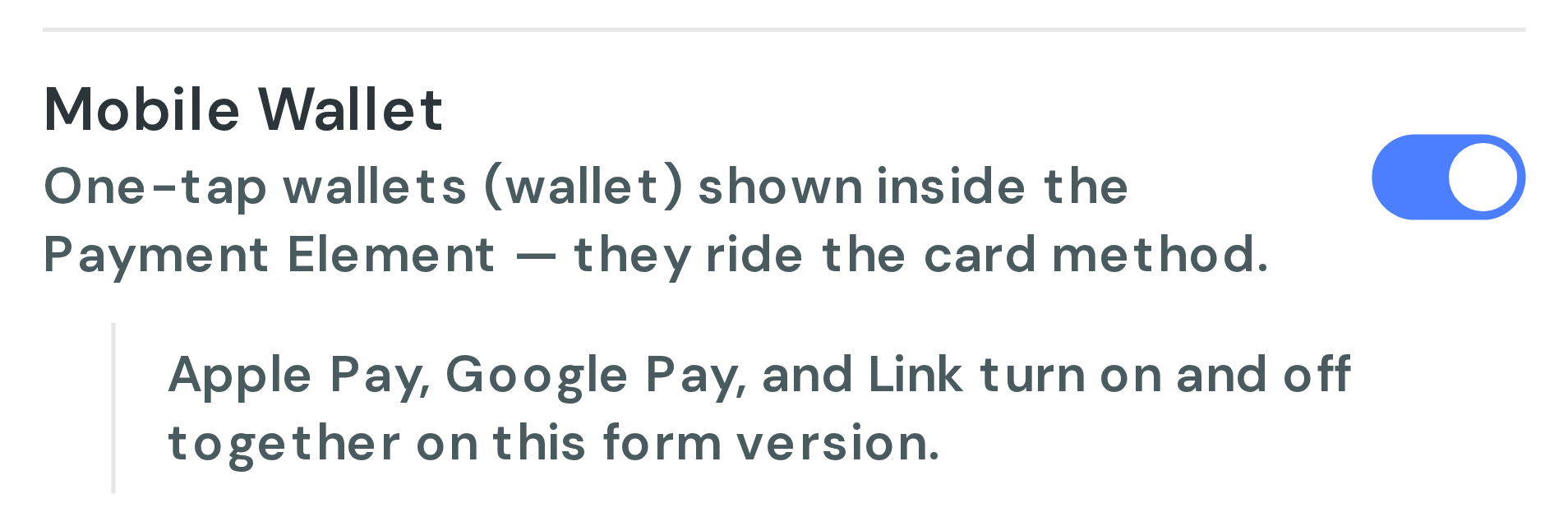
- Use the Mobile Wallet toggle to turn wallets on or off. Apple Pay, Google Pay and Link are covered by that one toggle.
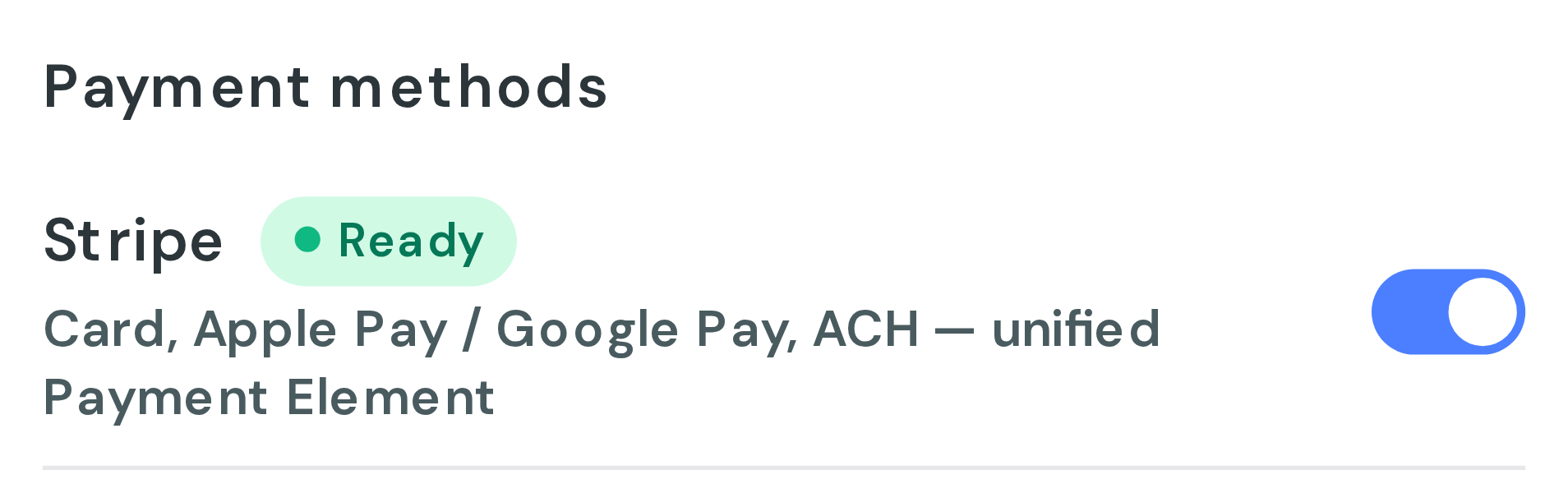
To check that a form is ready, look at the Stripe row under Payment methods in the same section. Ready means wallets can appear. Apple Pay not set up means no domain is registered yet, and the Resolve in Settings → Payment Processors link takes you straight to the fix.
What donors need
A wallet button only appears when the donor's device can use it:
- Apple Pay: an iPhone, iPad or Mac with a card in Apple Wallet. On iPhone and iPad (iOS 16 or later) it works in Safari, Chrome and other browsers. On a Mac, donors need Safari.
- Google Pay: Chrome on a computer or Android phone, signed in to a Google account with a saved card.
Donors who don't meet these requirements still see every other payment option on your form.
Troubleshooting
Apple Pay doesn't appear on my website. Check that the exact domain in your browser's address bar is registered and shows Apple Pay active in Settings → Payment Processors. Then try on a device that meets the requirements above.
A domain shows Apple Pay inactive. Read the message under the domain, correct the issue with your website, then click Re-validate.
Do I need to upload a file to my website for Apple? No. Stripe handles Apple's verification when you register the domain.
Does this work with PayPal? Apple Pay and Google Pay run through Stripe, so you need a connected Stripe account.